All blogs

Drupal Global Contribution Weekend 2020
After a successful DrupalCamp Pune 2019 last September, the Pune Drupal community did not hold any meetups. Global Contribution Weekend was scheduled in January 2020, and I thought this would be a great opportunity for the Drupal Pune community to have a meetup as well.
Core members of the Pune community had a meeting, where we decided the event format and location. QED42 which always volunteers and encourages people to participate in the opensource events decided to host the Drupal Global Contribution Weekend.
Drupal communities began uniting in India
Drupal Delhi community had already planned for GCW on the 25th January. Jaideep, Senior Engineer at QED42, who is one of the active members of the Drupal Community in India connected with us and shared the idea of collaborating with the Pune community. We had an initial meeting about the type of issues that should be targeted in the GCW 2020. Later it came to our knowledge that other communities are also planning to have the GCW 2020 event. We contacted other communities and proposed the idea of carrying out the GCW 2020 unitedly all over India.
The following Indian Local Drupal communities were planning to host the Global Contribution Weekend:
- Pune
- Delhi
- Bangalore
- Kolkata
- Chennai
- Kochi
- Mumbai
Sprint Planning
We decided to focus on the Drupal 9 readiness, Olivero theme and contrib modules issue queue. Olivero, one of the Drupal core initiatives, seeks to create a new default front-end theme for Drupal with a modern look and feel. The Community started triaging the issues. Hardik Patel shared a large number of issues which he had prepared for the Global Contribution Weekend and needed to be review. Sonal Sangale triaged several frontend issues from the Drupal issue queue. Similarly, the other communities were triaging the issue queue.
Event Day
The code sprint in India started at 10 AM. Prasad Shirgaonkar presented a session about Drupal India Association and its vision. This was the first time we saw different local communities from India collaborating at a global event. Approximately 150+ people from different Indian Drupal communities were connected via video conferencing.
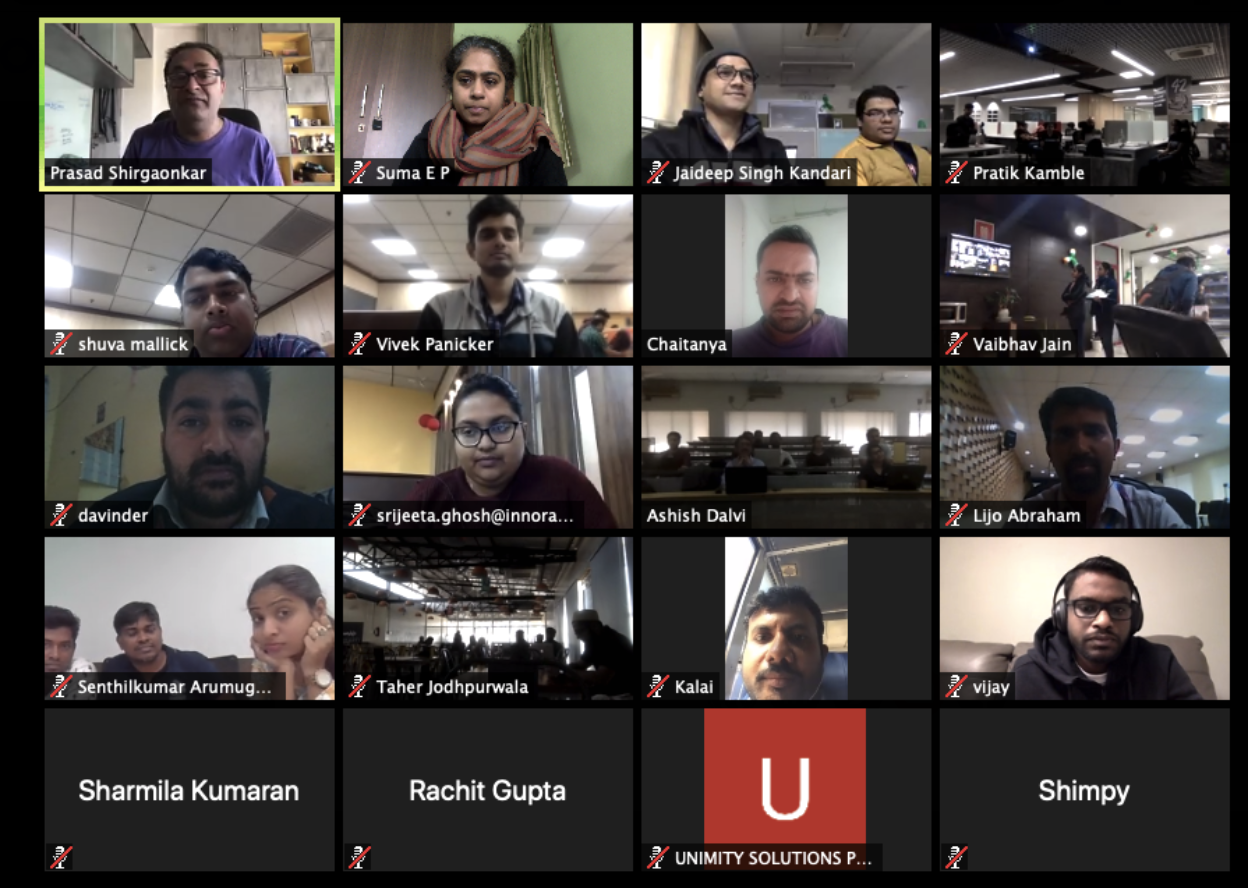
Following Prasad’s session, VijayaChandran Mani delivered a session on the State of Drupal 9 from London. He spoke about various tools which can be used to check Drupal 9 compatibility. Vijaya presented tools like drupal-cheker, drupalstan, etc. which make upgrading the existing Drupal 8 modules to Drupal 9 a super easy task. This fueled our determination on contributing to the forthcoming Drupal 9. VijayaChandran Mani incorporated Gabor Hojtsy slides on State of Drupal 9 in his session.
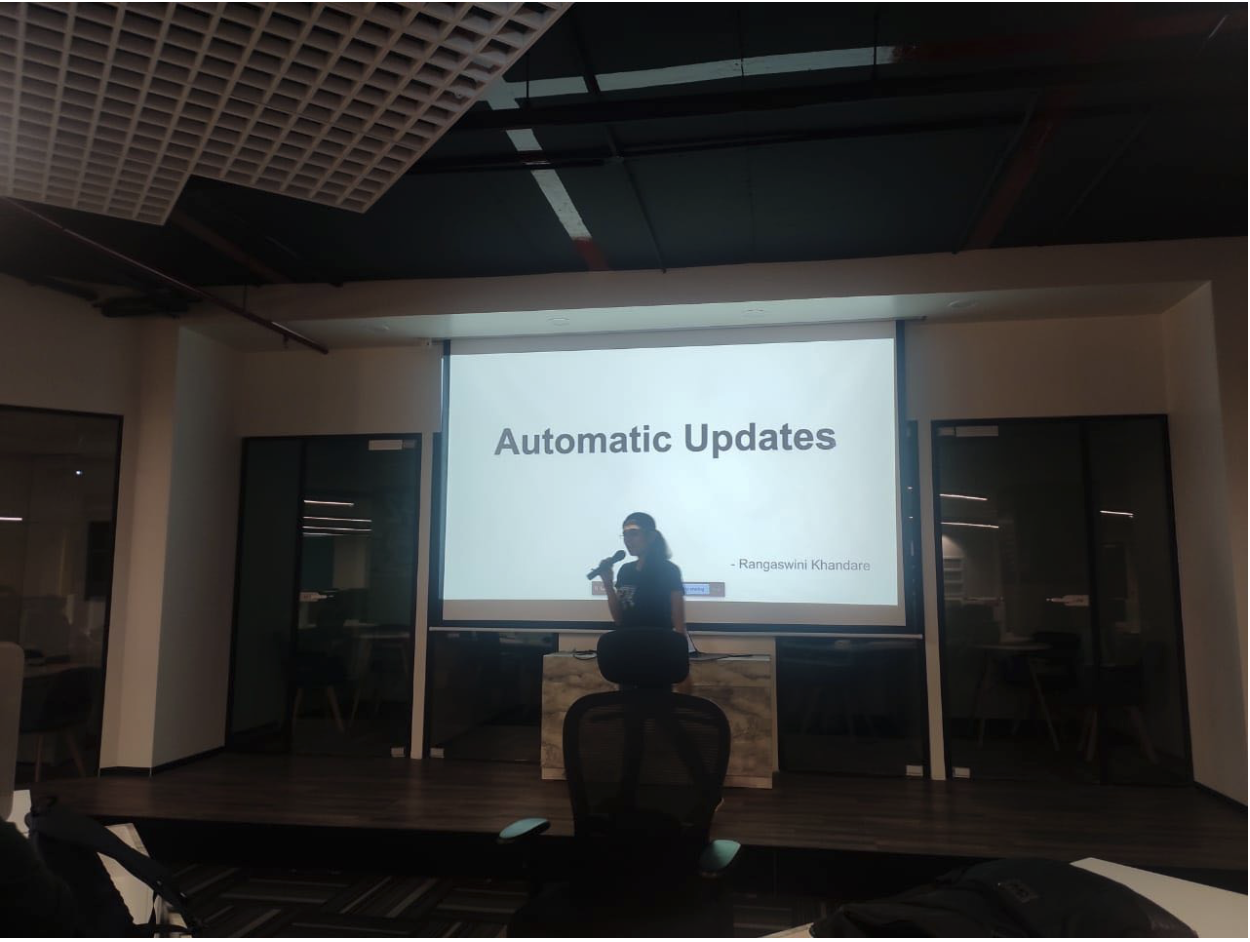
We then had a lightning session presented by Rangaswini Khandare on ‘Automatic Updates in Drupal core’. This is a recent Drupal initiative which is gaining traction and was featured in DrupalCon Amsterdam as well. Rangaswini introduced us to the goals & objectives of Automatic Updates and explained the amount of work done in Phase 1 and the progress of phase 2. She also encouraged people to join this initiative and contribute to the core.
Code Sprint
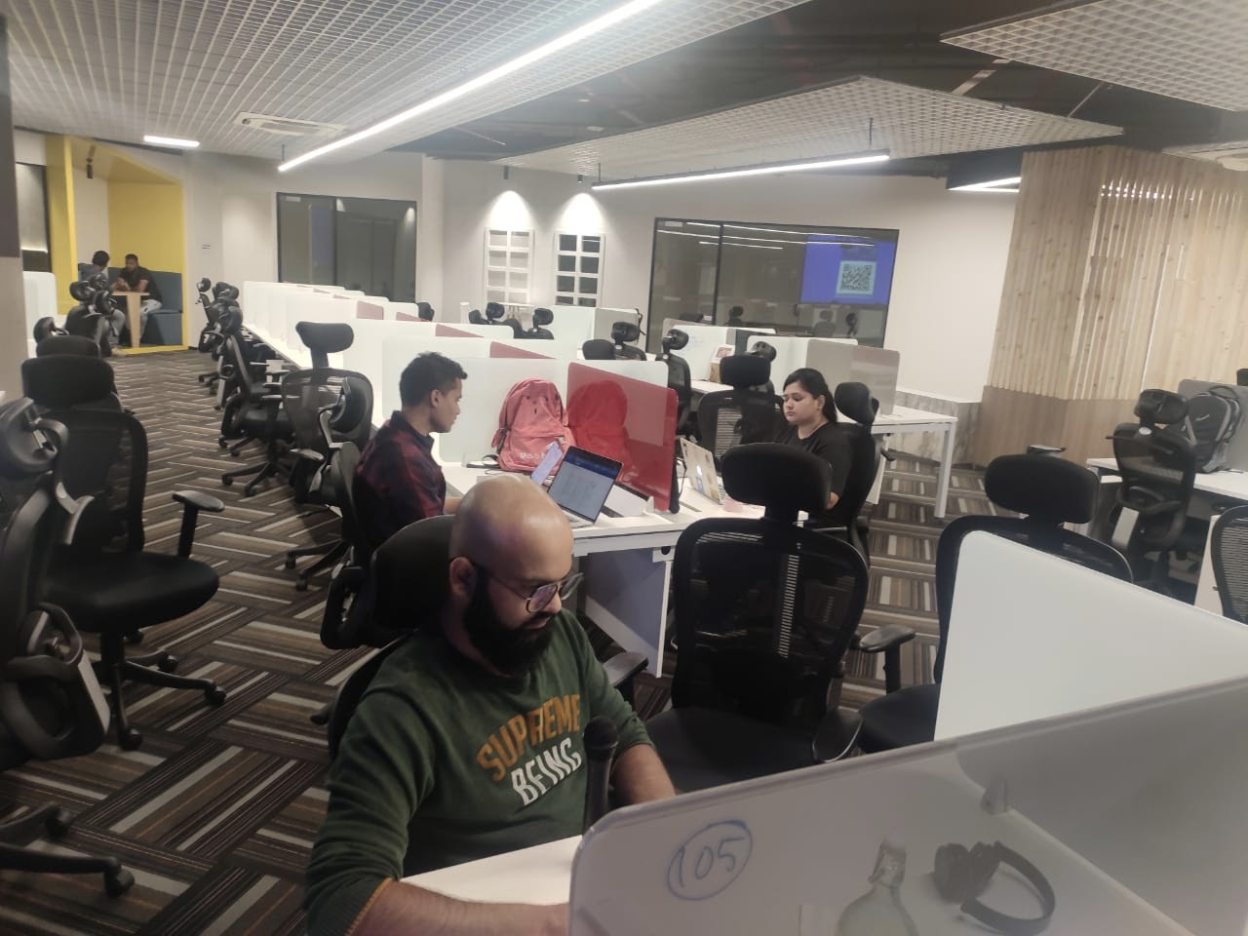
After Rangaswini’s session, the Global Contribution Weekend participants at QED42’s Pune office geared up to begin the code sprint! Find the list of issues we worked on here - https://www.drupal.org/project/issues/search?projects=&project_issue_followers=&issue_tags_op=%3D&issue_tags=GCWIndia2020
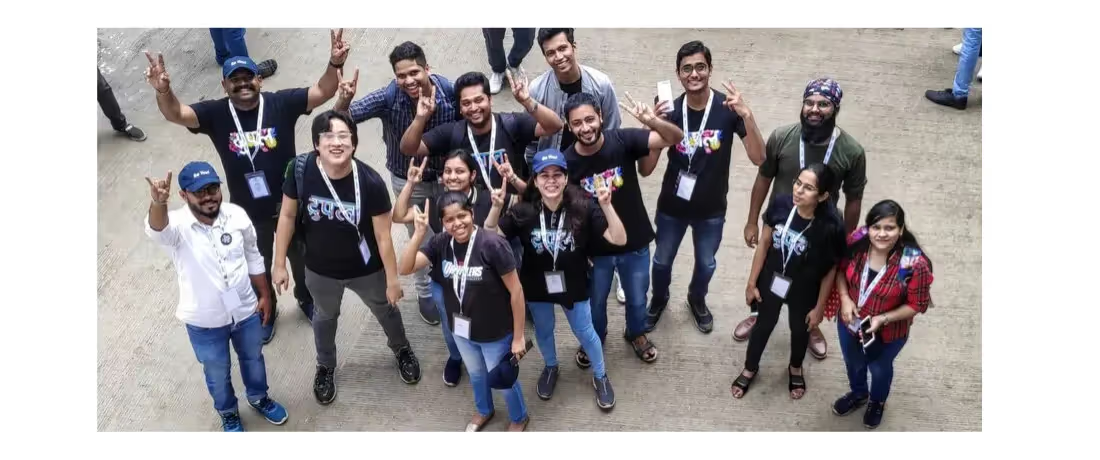
Here are a few glimpses of Drupalers contributing toward making Drupal better.
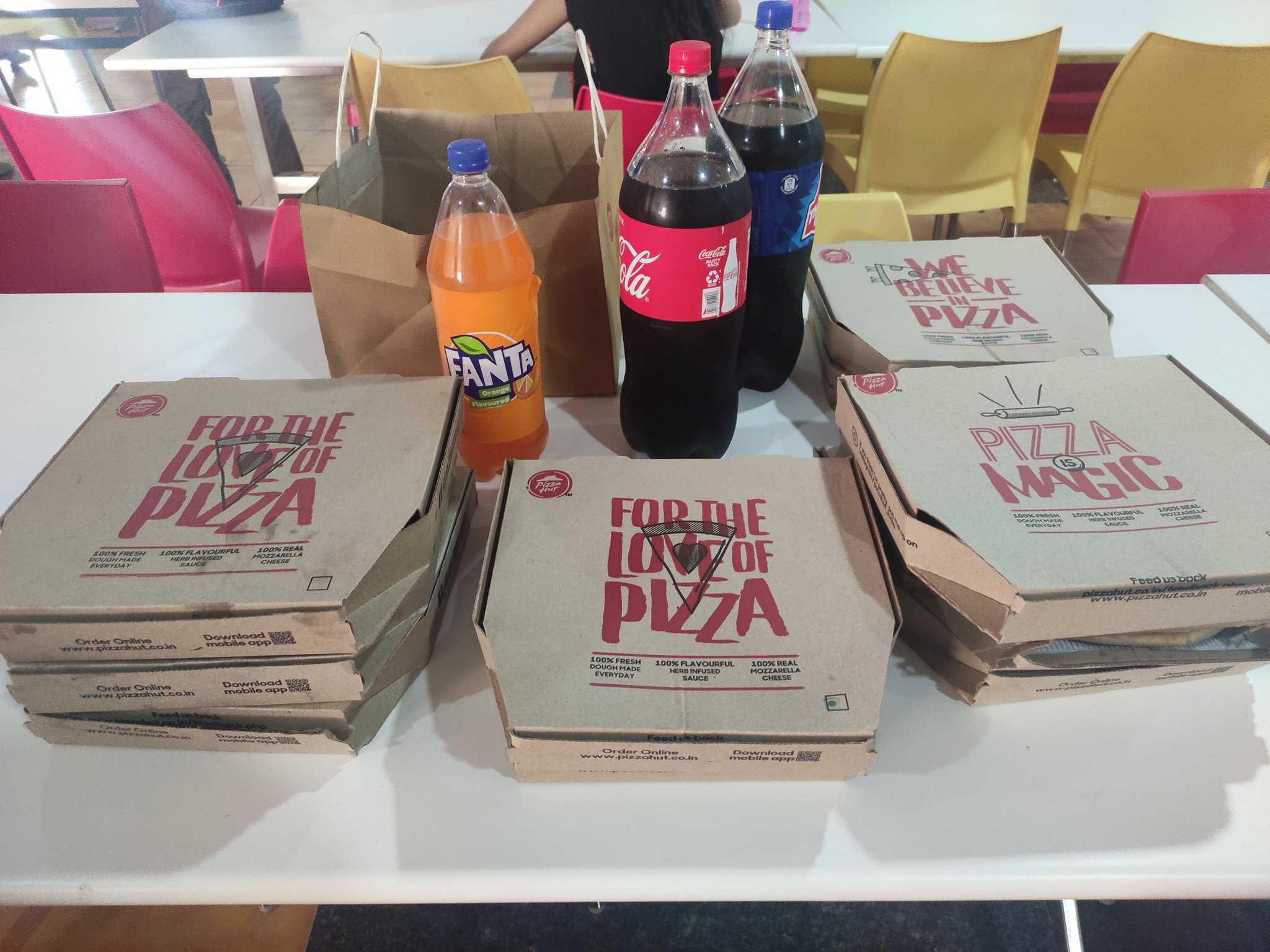
QED42 also sponsored a scrumptious lunch for the contributors in Pune.
Pune Drupal Community Contribution Highlight
Total 38 issues were picked for the contribution.
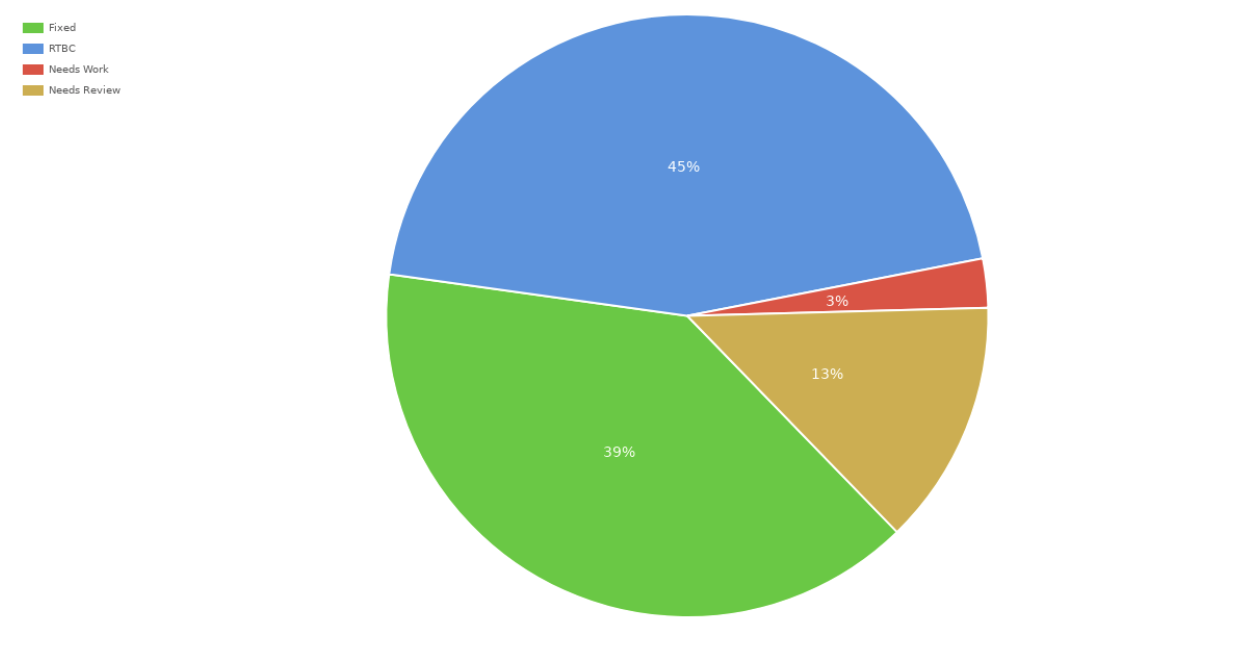
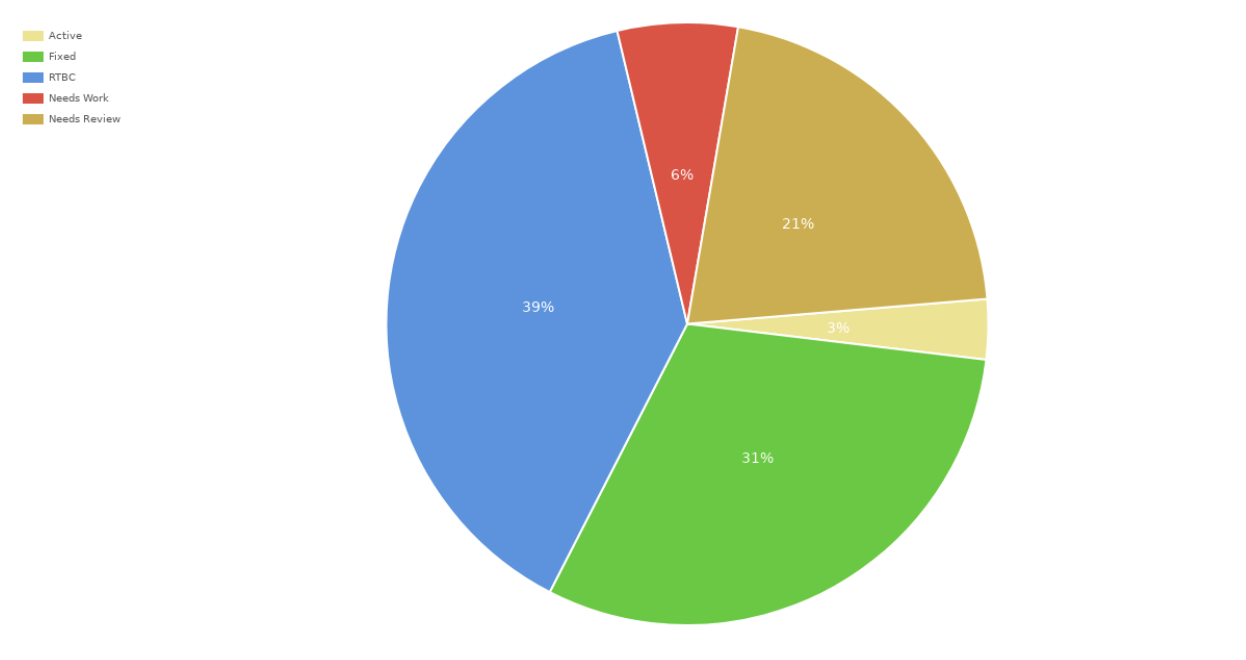
Statistics for GCW 2020 all over India
Total 67 issues were picked for the contribution.
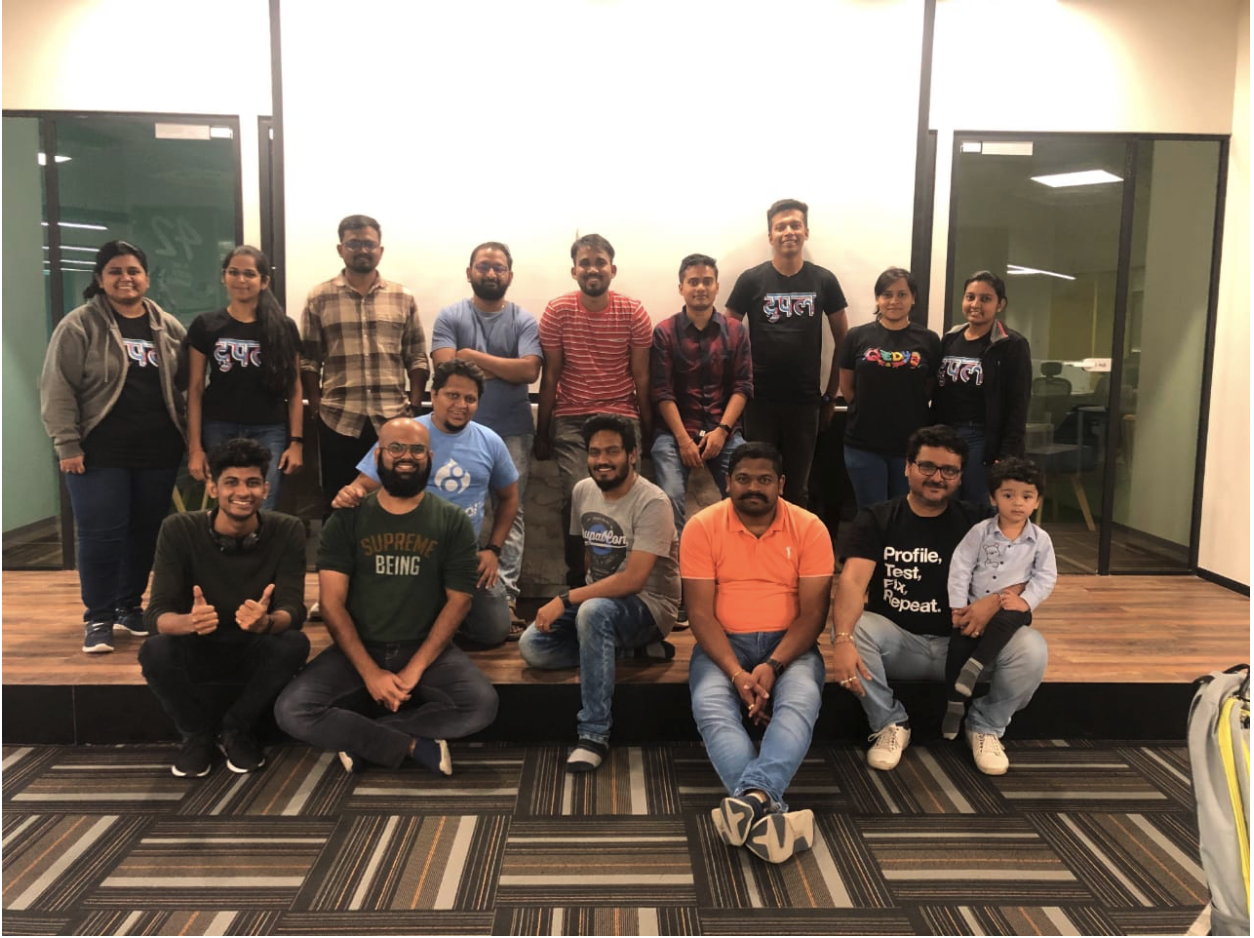
After 5+ hours of code sprint, we concluded the Drupal Global contribution weekend with a group photo and contentment in our hearts.

What to expect from Drupal 8.8
Drupal 8 brought a lot of new features along with it. Making it easier to create rich and beautiful pages. Among the new features included in Drupal 8.7, we saw the stable built-in drag-and-drop Layout Builder, updated Media Library interface, and more. These changes impact site builders, administrators, editors, module developers, themer's, and distribution developers. Drupal 8.8 will be released in December 2019 and will be the last minor release with features.
Let’s look at what Drupal 8.8 has in store for us:
| Drupal's WYSIWYG editor will allow media embedding in Drupal 8.8!
It’s been a decade that the Drupal community has been waiting for the most wanted end-user feature - Better media handling! The addition of WYSIWYG integration completes the final milestone. Read more about it here - https://wimleers.com/blog/media-embedding-drupal-8.8. Drupal 8.8 will come along with complete media management, this enables the site builders and content authors to easily embed media in Drupal.
Check out the media embedding here - https://youtu.be/sTc2JJzs9iU
| New and modern administration theme Claro
Claro is a concise, clean, responsive theme with an improved look and enhanced web accessibility. Built on top of the Seven theme, it is now a contributed project. There is a probability that the Claro theme will be added to Drupal 8.8.0 core as an experimental theme.
| Composer in Drupal core initiative
To know more visit - https://www.drupal.org/docs/develop/using-composer/using-drupals-composer-scaffold
| JSON:API module in Drupal 8.8 is expected to be significantly faster
This has been possible due to the resolution of the following issues:
- Include paths are resolved for every resource in a resource collection;
- Resource normalization is not leveraged and shared;
- ResourceType value objects are computed on every request.
New cache layers were introduced which minimized the cost by reusing computed entities.
| Content Moderation and Workspaces core modules can be used on the same site with Drupal 8.8.0!
Starting with Drupal 8.8.0, the Content Moderation and Workspaces modules are no longer incompatible, so they can be installed and used together.
When both modules are installed, the Latest revision local task provided by Content Moderation is no longer available because Workspaces always shows the latest workspace-specific revision on the canonical entity view page (e.g. /node/1). Additionally, when a moderation workflow is enabled for an entity type/bundle and if there are entities in draft (non-default/unpublished) moderation states in a workspace, that workspace can not be published to Live until all the draft entities reach a publishable moderation state.
| jQuery UI is being phased out from the Drupal core
jQuery UI allowed module developers to add lavish effects to their code. Added to Drupal core in 2009, jQuery UI has been unmaintained since 2017 and is listed as an Emeritus project (projects where the maintainers have reached or are nearing end-of-life). jQuery UI is being deprecated from Drupal core and will be removed by Drupal 9. With jQuery UI’s end of life, it will not work with future jQuery versions. Drupal core is in the process of switching to pure JavaScript solutions. Modules and/or themes depending on jQuery UI would require it as a dependency and manage their libraries.
| Configuration Management improvements in Drupal 8.8
- Sync directory is defined in $settings['config_sync_directory'] and not $config_directories.
The ability to support multiple configuration directions in the $config_directories is now deprecated. If you have custom or contributed code that relies on this ability you need to move your setting either to $settings or another to storage. To know more about this visit - https://www.drupal.org/node/3018145
- Event is dispatched before configuration import and export to transform of the configuration - https://www.drupal.org/node/3066005
These events allow modules to interact with the configuration deployment workflow. This was previously only possible with the contrib Config Filter module.
- Modules can be excluded from the configuration synchronization -https://www.drupal.org/node/3079028
A few modules help in developing a Drupal site but are not intended to be deployed to production. Until Drupal 8.8.0 developers had to rely on contrib solutions such as Config Split to separate the development configuration. But sometimes it is not necessary to share the development configuration and instead it is more important to guarantee that development modules can not be included in the configuration export. This is precisely what the lesser-known Config Exclude contrib module did and its functionality is now available for everyone.
| Path aliases have been converted to revisionable entities
With Drupal 8.8.0, custom URL aliases are now provided by a new path_alias revisionable content entity type. The path.alias_storage service has been kept in place for backward compatibility, and its hook has been deprecated. Check out this link for code changes recommended to fully utilize the new system and prepare your code for Drupal 9 - https://www.drupal.org/node/3013865
Conclusion
With all of these features, the upcoming and previous versions of Drupal 8 are very lucrative for content editors. Kudos to all the Drupalers who have worked on Drupal 8.8 and chalking out the path to Drupal 9.
Reference - Drupal.org
.avif "QED42 at DrupalCon Amsterdam 2019")
QED42 at DrupalCon Amsterdam 2019
Autumn is here! One of the things we’re looking forward to this month is DrupalCon Amsterdam from the 28th - 31st Oct 2019. Autumn is the most magical time to visit Amsterdam! An opportunity to mingle with the Drupal community in Amsterdam, what else could a Drupaler wish for?
QED42’s support for the Drupal Community around the world is unwavering. Be it sponsoring Drupal Camps, DrupalCons, organizing Drupal meetups, or contributing to Drupal.org.
And we hope you will join us at DrupalCon Amsterdam, this month!
Meet us!
QED42 is proud to be a Silver sponsor this year. If you are a Drupaler you wouldn’t miss visiting QED42’s booth. We are known for our exuberant booth vibes, designs, activities, and goodies. It is our tradition of unveiling a new Drupal t-shirt design at every DrupalCon. Check out the story behind our Hindi Drupal t-shirt series here - /insights/coe/design/story-behind-our-hindi-drupal-t-shirt. Our Drupal t-shirt design for #DCA is inspired by the vibrant and spirited culture of Amsterdam. Accompanied by a couple more goodies that you will absolutely adore!
This year, QED42 will be showcasing a wide range of our capabilities including:
- Decoupled Drupal
- Gatsby e-commerce demos
- Use cases around Drupal, JavaScript, and Design!
Come say Hi to our team at DrupalCon Amsterdam Booth No - 16, we would love to discuss ideas around how Drupal meets the ever-changing needs of the digital world.
Sessions
Our Drupal experts are presenting at DrupalCon Amsterdam 2019. You can find us at these sessions:
Houdini - New Era of CSS
- Date: 28th Oct 2019
- Time: 15:00 - 15:40
- Location: G 103
- Track: Drupal + Frontend
- Level: Intermediate
- Speakers: Vidit Anjaria and Saket Kumar
Here’s a sneak peek of our session - /insights/coe/javascript/building-powerful-custom-properties-css-houdini
Designing the future of the Drupal Admin UI
- Date: 30 Oct 2019
- Time: 09:00 - 09:40
- Location: G 103
- Track: Drupal + Frontend
- Level: Beginner
- Speakers: Archita Arora, Sacha Eggenberger, and Cristina Chumillas
Keynotes
There are some exciting keynotes lined up for you at DrupalCon Amsterdam!
- Tuesday, October 29 at 9:00 AM | Talk: Driesnote
Speaker: Dries Buytaert - Founder
- Wednesday, October 30 at 1:30 PM | Talk: If I can do it, so can you
Speaker: Sue Black - Professor of Computer Science and Technology Evangelist, UK Government Strategic Advisor, Women’s Equality Party candidate for London Mayor 2020, Professional Speaker, Author
- Tuesday, October 29 at 1:30 PM | Talk: Humanity in tech
Speaker: Boris Veldhuijzen Van Zanten - CEO and Co-founder of thenextweb.com
- Monday, October 28 at 1:30 PM | Talk: Drupal core initiative leads keynote
Conclusion
Attending DrupalCon Amsterdam? Don’t forget to flash your badge and spread the word - https://events.drupal.org/amsterdam2019/spread-word. Follow @DrupalConEur for recent updates around the event.
Drop by our Booth 16 and meet the QED42 team! We would love to share our exciting projects and learn more about your experiences and challenges with Drupal.
.avif "Custom skill for Alexa multi-turn dialog management")
Custom skill for Alexa multi-turn dialog management
We have witnessed rapid developments around voice assistants over the past few years. With mobile users increasing exponentially every passing day it would be fair to assume that voice searches will rise simultaneously. Fiction has transformed into reality, one can pose questions to a device and get human-like reactions, stunning isn't it? This is what millions of users are doing every day with Alexa, Apple pod, Google assistant, etc. User interfaces have changed over time, and with each new user interface, a bundle of new difficulties has emerged.

Conventional user interfaces are displayed as controls in an application (text boxes, buttons) or web pages. They are vigorously utilized and have been demonstrated to be sufficiently effective for human-machine interaction.
| The question persists, why build voice assistants? What are the advantages of having voice assistants?
- The magic of conversational interfaces is that users don’t have to learn how to use them. Alexa skill (android app) should leverage the power of natural language understanding to adapt to the user’s word choices, instead of forcing them to memorize a set of commands.
- As someone said, “Don’t play the odds, play the man”. The voice assistant will be able to do that as voice search keywords are normally longer than text search which is why they are more conversational.
- One of the significant benefits of voice assistants is their machine learning capabilities. The more we interact with these devices, the more the assistants grasp. After a period, they can return highly customized outcomes.
- With voice assistants, you can take into account the customer based on who they are and not simply their behavior. While it's still early for personalization of the customer experience through voice assistants, this is tremendous for businesses.
- Conversations are classified into two types, single-turn, and multi-turn dialogs.
| Single-turn Vs Multi-turn Dialog with Drupal
Single turn: Dialogs where the conversation ends with one question and one response in return. For example: Asking Alexa to set an alarm, a reminder, play a song, adjust the volume, is not a technical conversation. This is called a single-turn conversation.

Let’s consider an example in context with the Drupal and Alexa module. Here we have created Alexa skill which provides information related to Drupal. The user asks Alexa ‘who is the founder of Drupal?’ she responds ‘Dries’. But when you ask her “Which year it open-sourced?”. Alexa fails to determine the context of the question i.e “Drupal” and treats it as a brand new query.
A few questions cannot be answered in a single turn. A user may pose a question that should be filtered or refined to determine the correct answer. That is where Multi-turn conversations come in to picture.

| Dialog Management
Genuine conversations are dynamic, moving among topics and thoughts smoothly. To make conversational Alexa skills, structure for adaptability and responsiveness. Skills ought to have the capacity to deal with varieties of discussion, contingent gathering of information, and switching context mid-discussion. Dialog management makes these regular communications conceivable. - Definition from Alexa docs
| How do you make this work?
Create an Alexa skill:
- Amazon Alexa skills are equivalent to Android apps. You have to create a custom Alexa skill using the Alexa skill kit (ASK) on the Amazon developer console.
- You define an interaction model and point it to your Drupal site.
Interaction model:
- With the Alexa Skills Kit, you can create skills with a custom interaction model.
- You implement the logic for the skill, and also define the voice interface through which users interact with the skill.
- To define the voice interface, you map users' spoken input to the intents your cloud-based service can handle.
Components for Alexa custom skill:
- Use an invocation name to start a conversation with a particular custom skill. For example, if the invocation name is "Drucom", the users can say “Alexa, open Drucom”.
- An invocation name can be called to get things going or you can combine invocation name with intent such as “Alexa, open Drucom, order wine”.
- Each intent corresponds to something that the Alexa skill is capable of doing. Intent can capture the things that your users want to do. You might design intents to capture the details. Each intent in the Alexa skill contains the following:
- Intent name
- Utterances
- Slot (optional)
- Utterances are nothing but an invocation phrase for intents. Users can express the same intent using different statements. For example, if we were building a help intent, there are different ways one can express that he/she requires help:
- I need help
- Help me
- Alexa, can you help me?
- The way Alexa works is, it will parse what the user says. It will not just send the raw sentence but it will pass the intent that’s being triggered too.
- The utterances you provide to an intent do not have to be perfect which covers all the cases and scenarios, it is training data for Alexa to figure out what the intent here is.
Let's start with implementing the interaction model for the Add to cart functionality.
Step 1: Create a new skill with Drucom as the skill name

Step 2: Set an invocation name

Step 3: Create an intent
For our interaction model, we will create an intent called AddToCartIntent, which will be responsible for handling the utterances for adding items to the cart. Adding utterances: When users interact with our skill, they may express additional things that indicate what they want to order.

Looking at the above utterances we can say that the AddTocartIntent will only be invoked when the user tries to add Red Wine to cart but it will not invoke if a user tries to add some other product and that's where custom slot types come to the rescue.
Step 4: Create slot types and using them in AddToCartIntent
- Glancing through the utterances above, we can identify the two slots that we have to catch i.e productName and quantity.
- We have to create one custom slot type for productName and will use one built-in slot type AMAZON.number for quantity.
- Custom slot types are a list of possible values for a slot. They are utilized for a list of things that are not secured by the built-in slot types provided by Amazon.

Once we have set up the slot types, it’s time to apply them in our intent. Once you are done with the changes our intent will look something like this:

Step 5: Activating Dialog management
To activate the dialog, you will have to mark at least one slot as ‘required’.
Slot form - you need to provide the sample prompts which Alexa will use while asking questions to the user, along with these sample utterances the user might also add a slot value. Now our interaction model for AddToCartIntent is ready.
Conclusion
I have covered what single-turn and multi-turn conversations are, and how multi-turn conversations with Alexa and Drupal are vital. I have also described the steps to create a custom Alexa Skill. In my next blog, we will learn more about Configuring a Drupal site.
Recap of my DrupalCamp Pune 2019 experiences
Recording my experiences of Drupal Camp Pune before they fade away. If you are connected with me on twitter, you must have seen a spike in my tweets over the weekend of 14th-15th September 2019.
I was privileged to attend this 2-day event and want to admit that my experience of co-presenting a workshop, attending several amazing sessions, meeting old friends and new was great. Had the chance to meet a lot of people from the Drupal community, who were earlier only familiar to me via their usernames. The diversity of the sessions was really impressive. #DCP19 contained sessions for Backend, Frontend Devs, Quality Analysts, Managers, Students, Community, etc. ranging from Beginners to Experts levels.
Being a co-organizer of a Drupal event earlier, I knew how important it was to get the audience on the day of the event. The attendance was more than what was expected for both the days. This was a good sign for the event organizers.
Keynote
Undoubtedly, the star of the event was none other than Mr. Preston So. It was great to interact with him. I had initially expected his keynote to be around Gatsby. Instead, his topic was a broader one, he highlighted the transition from Content Management systems to Content Management Stack.
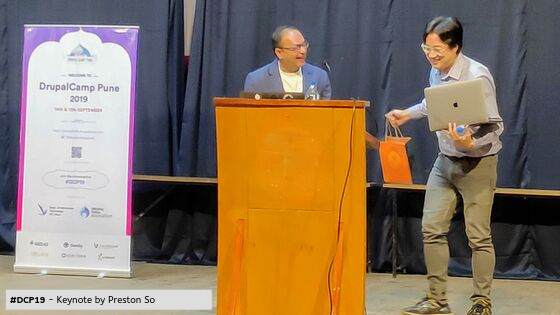
He also showed how modern applications are being developed and the role of Drupal & Gatsby in it. His keynote sparked a thought in my head around how applications can be developed and what is the way forward. I would like to share a couple of non-technical highlights of his prenote:
- Preston started his keynote in Hindi and everyone in the auditorium was in awe. He truly is a master of languages.
- He gave references to the Bollywood movie “Sui Dhaaga” for explaining the challenges developers face in our day-to-day lives.
- He gave away 2 copies of his book “Decoupled Drupal in practice”.
- Preston also shared his love for India, especially Mumbai.
Post the Keynote, Preston was surrounded by people and he was busy answering dozens of questions (I was a part of that group). Questions ranged from technical aspects of Drupal, Gatsby, to him learning so many languages, etc.
Drupal India Association
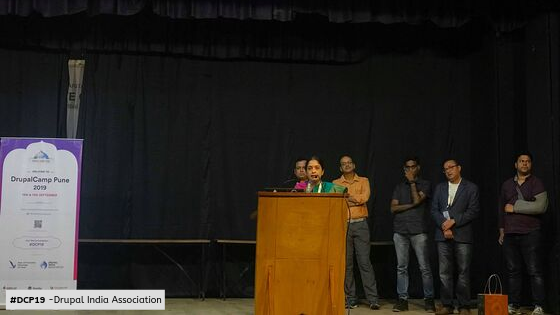
The Drupal India Association board members addressed the audience, where they showcased brand new the DIA logo designed by QED42’s design team! For more updates around DIA follow their twitter handle - @india_drupal
Drupal in a Day
A massive part of my role at #DCP19 was to co-present a 5 hour “Drupal in a Day” workshop for the students. I co-presented with Nitesh Sethia & Meena Bisht, training and educating students who hadn’t heard of Drupal, around concepts like Opensource, Drupal, community, etc. Students gained hands-on experience with Drupal through:
- Familiarization of Drupal concepts
- Installing all prerequisites and Drupal itself
- Introduction to the basic building blocks of Drupal like Content Types, Fields, Blocks, Menus, Views, etc.
We also spoke about the Drupal Campus Ambassador Programme which aims to bridge the gap between students and the Industry.
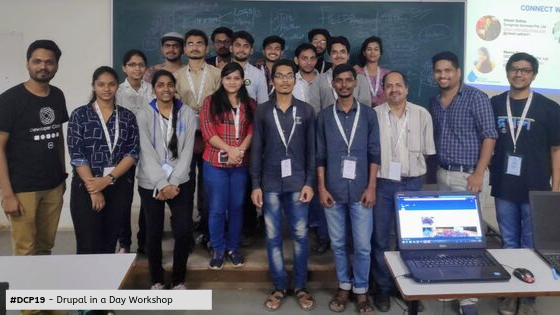
One of my favourite moments from the workshop was the attendee’s reactions when they witnessed the power of Views. They were amazed at how Views can be used to fetch data we want from the database and display it according to our needs. The responses and students eagerness to learn more new topics was a really satisfying experience.
Sponsors
Sponsors are one of the building blocks in making DrupalCamps successful! This year we had 6 sponsors.
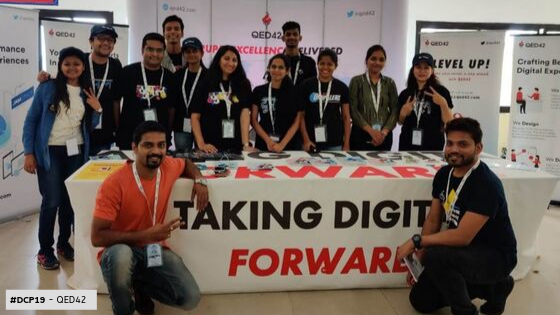
QED42 was the platinum sponsor for DrupalCamp Pune 2019. We were not only the sponsors but were also the organizers for the event. QED42’s booth, vibrant standees, Quizzes around Drupal, JavaScript, Machine Learning, and Hackathon appealed to the students and event attendees. We also carried out an internship drive for students. QED42 is known in the Drupal community for its designs and goodies, this year we had T-shirts, stickers, notepads, and designed quiz cards as giveaways.
After-Party!
Day one was tiring and about to get over, and we received an update regarding the After-party from the @drupalcamppune twitter handle!
The after-party was one of the memorable moments of #DCP19 wherein I had numerous great conversations. I met a lot of people informally and got to know the jolly side of their life. I was so engaged in the conversations that I totally missed the dance floor. We reminisced memories from our past Drupal events, the current event and discussed future events too. Sharing a few snaps from the party at the end of this blog. Since I was caught up with “Drupal in a Day” workshop on the first day, I missed most of the sessions presented on that day. You can find out more about the sessions here - http://camp2019.drupalpune.com/accepted-sessions. However, I was lucky to attend sessions on the second day. Here are some sessions I loved:
1. Multi-turn conversations with Alexa” — Anand Toshniwal
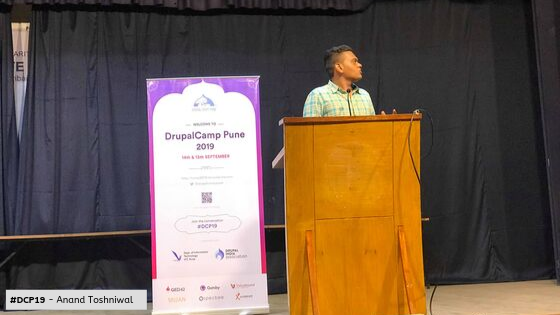
The demo amazed the audience and received loud applause. Anand had set up a Drupal e-commerce store and he showcased how he could place an order with Alexa via a Multi-turn dialog. PS: Reach out to me for the recorded video of the demo!
2. “Pixel Perfect Web” — Kiran Kadam
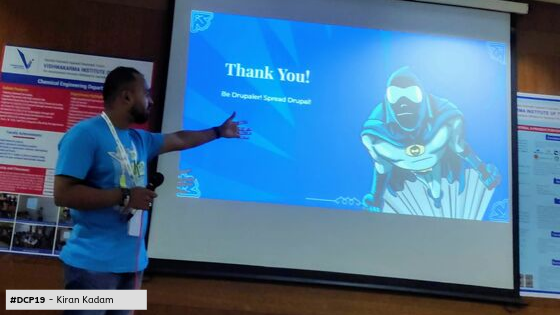
Filled with Frontend enthusiasts, Kiran Kadam spoke passionately about what pixel-perfect web is and how to achieve it.
3. “Effective storytelling with Clients and Teams” — Nikhil Anant
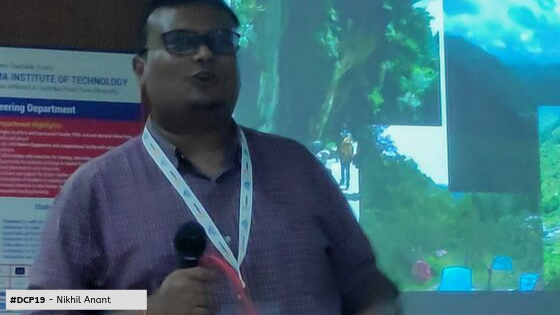
Nikhil shared his experience of visiting Manali and the challenges it brought with it, describing how things can be explained in the form of stories for effective team communication.
4. “Making Front-end Testing Easier using Visual Regression” — Ambuj Gupta and Kanchan Patil
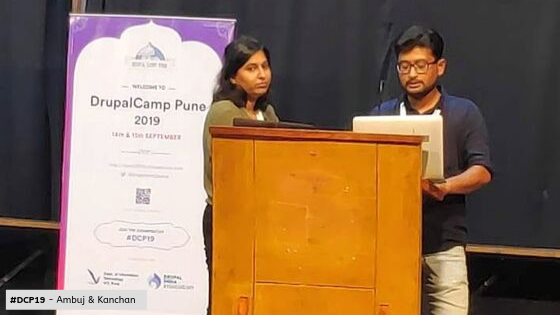
Automation is my favorite part in Quality Assurance process, and these guys took it to the next level.
5. Good UX = Accessible UI design - Nikita Aswani and Asmita Wagh
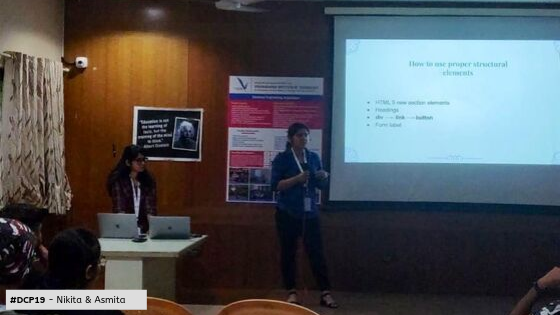
The best thing about the session was the fact that not only QAs but also Developers who were equally interested in implementing A11Y and considered it to be an inseparable part of their web-development practices.
DrupalCamp Pune Closing Session
Overall, it was a great event put up by the organizers of #DCP19. The closing session was hosted by Sushyl & Ajit, where we acknowledged the organizing team’s efforts and thanked them for making DrupalCamp Pune a huge success. Right from the swag-kits, keynotes, sessions, speakers, venue, food, after-party, and countless important items, the organizers deserve a huge round of applause.
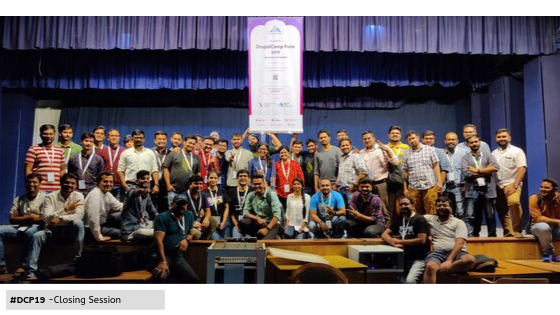
Next year, I am looking forward to being a part of the organizing team and experience the excitement of planning DrupalCamp Pune!
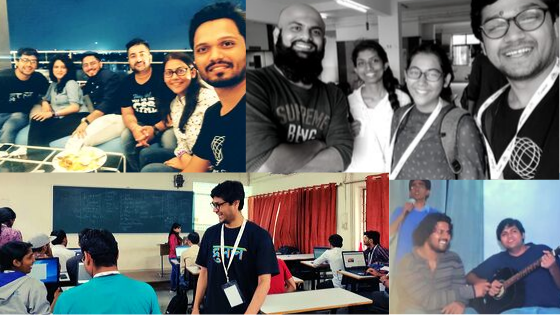
I have collected some pictures from the event and would like to share them with you.
Conclusion
I really appreciate and thank you for taking out time for reading this post. Hope we cross paths at the next Drupal event. #DrupalThanks

Integrating Headless Drupal with Gatsby (JSON:API)
What is Gatsby?
Gatsby a free and open-source framework based on React, which comes with several data plugins that allow you to pull data from different sources, one of which is the Drupal Content management system. I have been working with Drupal for almost 4 years, and have been a part of several headless Drupal projects. Knowing the efforts it takes to build every page and component on the frontend, it excites me to check the new tool, Gatsby.
Takeaways from this article:
- Understanding Gatsby
- Drupal Integration with Gatsby
- Setting up and creating a sample site using Gatsby and Drupal with JSON:API module
Creating a Headless Drupal site
Let's create a content type called Recipe with following fields:
- Title
- Banner Image
- Summary
- Ingredients
- Steps
- Time to prepare
- Tags
This is how the content creation form will look like:

Now let's create content and enable the JSON:API module, and then access the <base_url>/jsonapi link to view all available entity, bundles, etc. that will be exposed as rest API using JSON:API module by default.
If you access <base_url>/jsonapi/node/recipe it will list down all the nodes of recipe content type, we will be using the same API endpoint to build our site.
Now we have completed the Drupal part, let us start building the frontend using Gatsby.
Building frontend using Gatsby
Gatsby provides a CLI tool, which helps you build and run your Gatsby application. So let us install the Gatsby CLI tool.
Installing a new site using the Gatsby CLI tool.
Above command will create a new folder named cookbook-site with the default starter kit provided by Gatsby.
Gatsby also provides you a development server which will host your local site using Gatsby CLI. To start your local site, get into your site directory and start the development server.
It will compile your project and host your local site at port number 8000, this is how your site should like.

Now open /src/pages folder in your directory, this folder contains the files which will be served as a webpage. Open /src/pages/index.js which is your current homepage showing Hello World!
Let us update the content on the homepage( /src/pages/index.js) with the following code to check how it works.
Now the webpage will look like this:
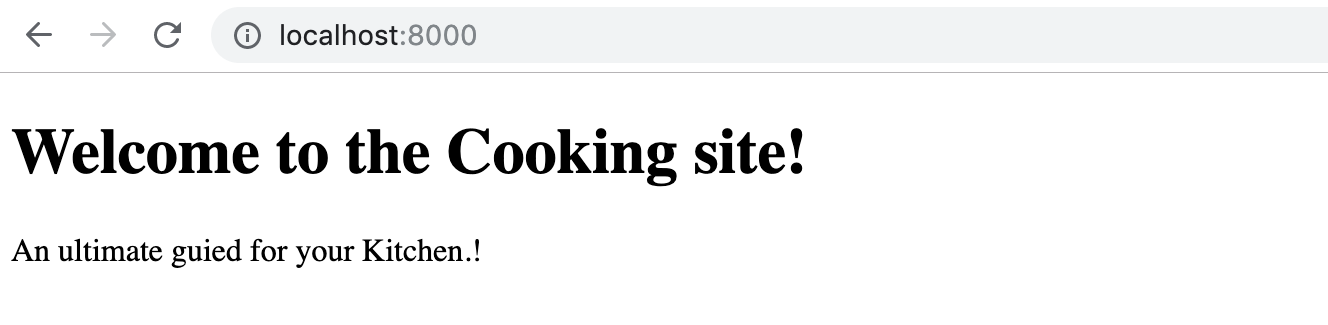
Now let us create a new page were all recipes will be listed, create a new file - recipes.js inside /src/page/. This page will list down our all recipes; add following code to it:
Now let us visit and verify the page. Access - http://localhost:8000/recipes on your browser, the page should look like:

Here we have not created any routes, Gatsby does is automatically for you and loads the page from /src/page/
Fetching Drupal Data
To fetch the data from API we will be using the Gatsby plugin and GraphQL. GraphQL server can be accessed at http://localhost:8000/_graphql
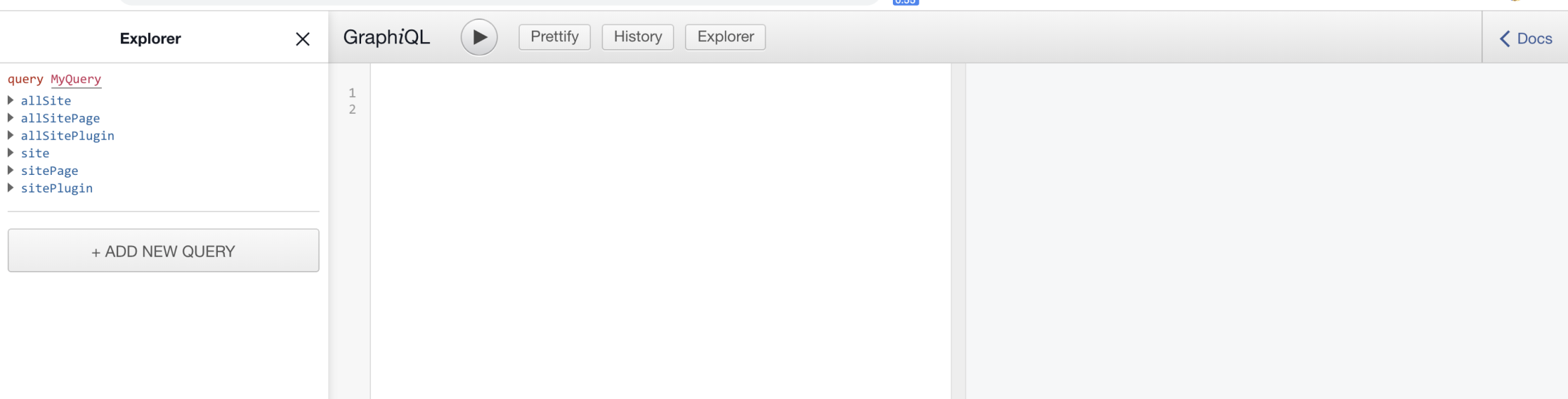
But before we begin with GraphQL we need to add the Drupal plugin of Gatsby.
This will add a plugin provided for Gatsby to access data of headless Drupal, once we have the plugin, we need to configure it to start using it. To configure the plugin you need to add the following code in the gatsby-config.js
Once you add above code, just restart the Gatsby server. (gatsby develop). After restarting the server visit http://localhost:8000/_graphql and you will see data been fetched from Drupal.
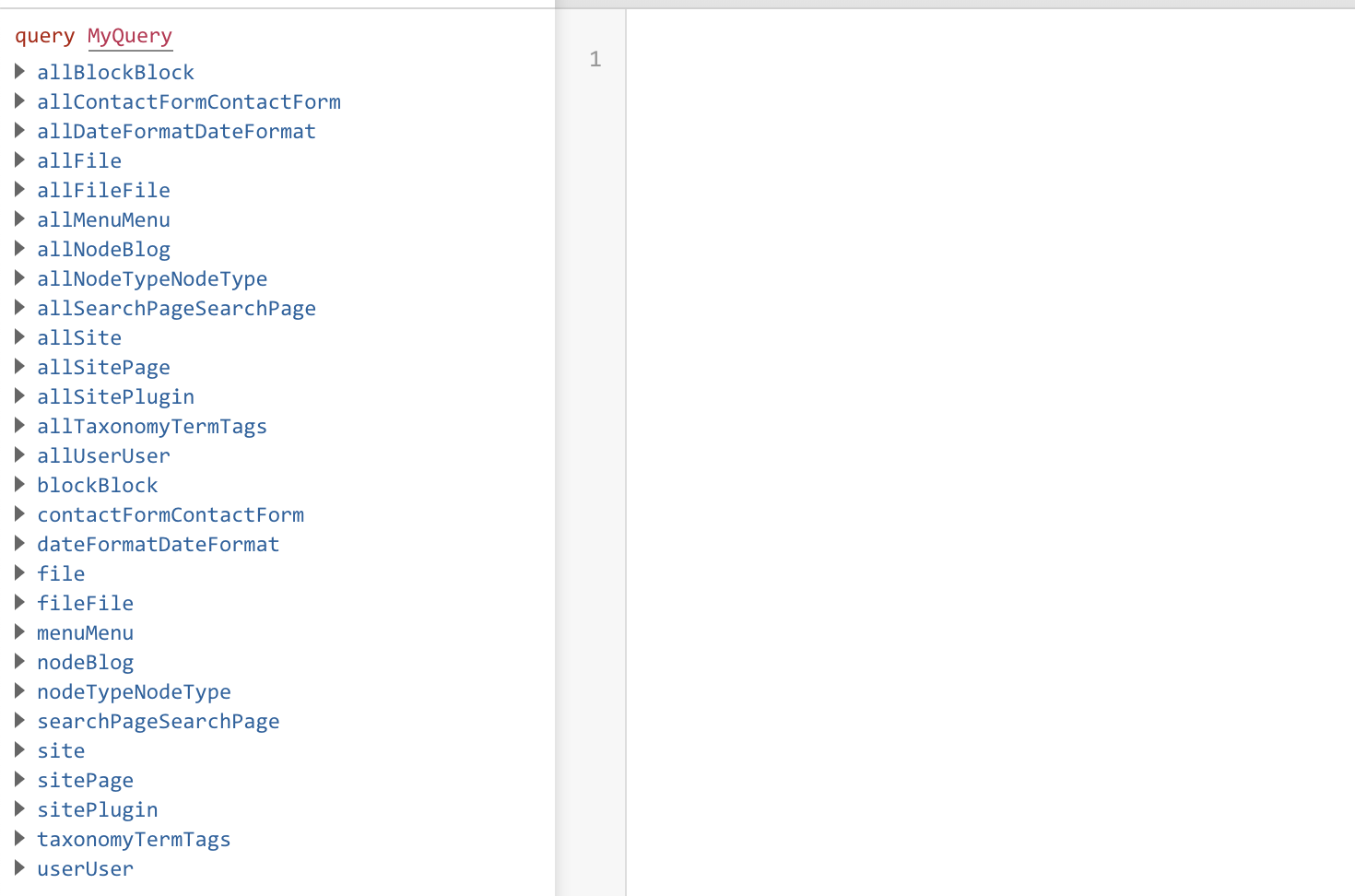
You will see the nodes of the recipes content type allNodeRecipes which will list node of recipe content type and nodeRecipe which will show you particular node with given node id. Now lets us start writing GraphQL queries and integrate it with our application.
First, we will write GraphQL query in which we will retrieve following fields to display it on our listing page /recipes
- Title
- Summary
- Banner Image
- Authored By
Selecting appropriate fields using GraphQL explorer will auto-generate a query for you. Here is the query which will provide us the above-required data.
On executing the above query in GraphQL it will show you the list of all recipes and its data for selected fields.
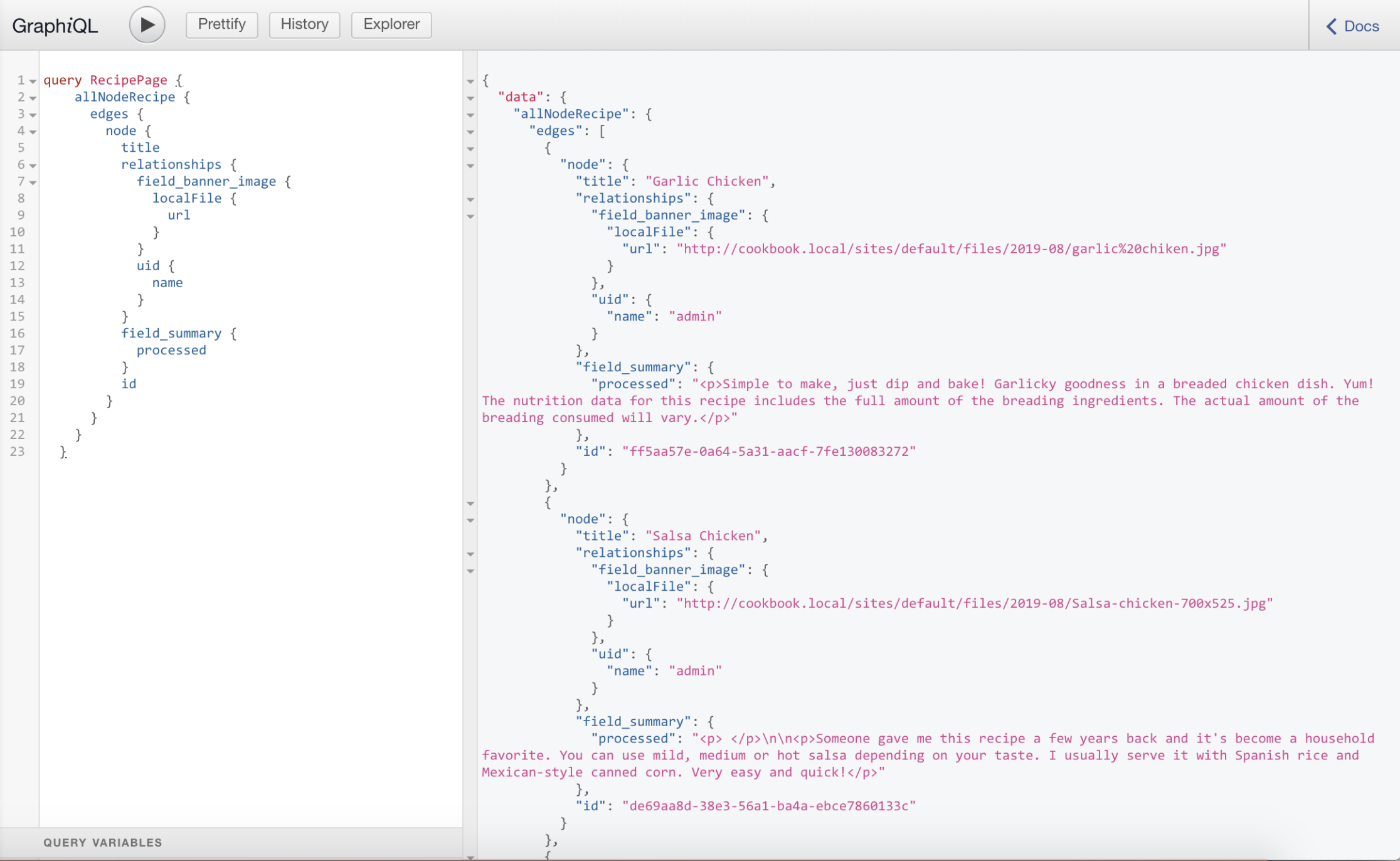
Now let is start creating /recipes page. We will have to update our existing /src/pages/recipes.js file, which will include a GraphQL query and HTML components rendering the data fetched using GraphQL query. Update the recipes.js with following code.
As shown in the above code we have used the GraphQL query which was created earlier and those results are accessible to the React components. Note that the <Link> component used in the code is a Gatsby component which is used to access the internal pages. Following is how our Page will look like:

Wohh.!! Site is using Drupal data now. Now let us add some styling to it. Create a folder named styles inside /src directory and then create a file inside /src/styles called global.css and add following code to it.
Now to let Gatsby know about your CSS file, create a file called gatsby-browser.js in the root directory and import the CSS file by adding the following code to the file.
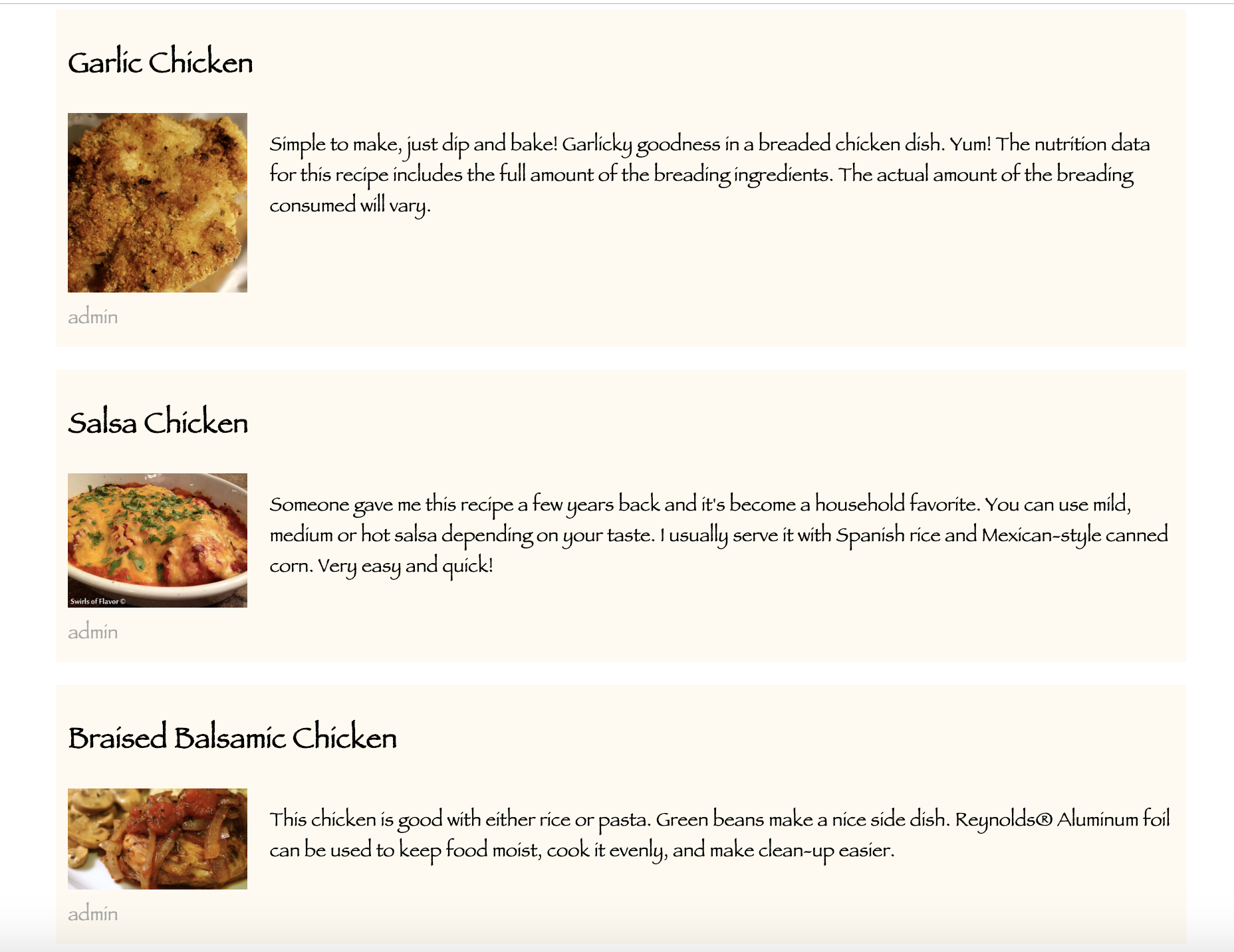
After doing this restart your Gatsby server by executing gatsby develop and your site should look like this:
Yeah! Wasn't that simple?
I will be sharing the Dynamic page creation using Gatsby in Part 2 of this blog series. Stay Tuned! For more information around Gatsby and Headless Drupal you can write to us at business@qed42.com.

Progressive Decoupled Drupal Setup
In the era of a realtime, fast, performant web application, one cannot overlook the superpowers of ReactJS and the wonders it can do when used right.
The beauty of ReactJS is that it can be easily integrated with any other framework. Let’s have a look at how to integrate ReactJS with Drupal 8 and Drupal 7.
We rely on ReactJS to handle the heavy UI and leave the rest to Drupal.
These are the steps we will follow. [The steps will be elaborated later in the blog]
- Create a custom module that creates a custom block. The custom block has the codebase for ReactJS.
- Develop your React application.
- Once done, run
- This will create a build folder with the root directory.
- This build directory has minified files that can be used as static files.
- The custom block must have a div with id “root”.
- If you want to give it a different id, update /src/index.js to
DRUPAL 8 SETUP


- Include min files in the mentioned order.
- I have renamed the generated files to runtime.js, chunk.js, and main.js.
- The generated files have self-generated names concatenated with runtime, chunk or main.
- Add other third party CSS libraries you want to include in the way it is demonstrated above.
- Lets Automate:
Add the following in the ‘scripts’ package.json
Your package.json should now look like this:
Voila!!!
After creating this, I enabled the module that I created programmatically. Then in the Block Layout in the Content region, I placed this custom block.

Once all of this is done, visit the respective drupal page. It should have the React application within. Theme the block and React application as you wish. You have now completed the basic setup of Progressively Decoupled Drupal 8 with ReactJS.
DRUPAL 7 SETUP
.avif)
Note: notice
array(‘scope’ => ‘footer’)
It is important to load the JS files at the footer of the block or else it will be added at the beginning of the block. It will look for a div with the respective id and since the HTML is not yet rendered, it won’t find one resulting in `Uncaught Invariant Violation: Minified React error`
notice array(‘scope’ => ‘footer’)
Loads the JS files at the footer, avoiding the above-mentioned error.
.avif)

Upgrade to Drupal 8/9 or wait?
Go back in time and you’ll realize that every Drupal version upgrade has been drastically different from its predecessors. This caused compatibility issues and upgrading between major versions has always been a complicated task. Contributed modules and themes needed to be upgraded for compatibility, content migration was a hassle, and the list goes on. Gradually Drupal has adopted semantic versioning which allows for continuous improvements without waiting for major version launches and allows for a more continuous upgrade.
Be rest assured that upgrading to Drupal 9 is a cakewalk! Check out our Drupal 9 migration story.
Drupal 8 minor version upgrades
With Drupal 8, we welcomed the concept of continuous innovation and new features/libraries were introduced via minor version upgrades.
The changes introduced in Drupal 8 were highly relevant to the arrival of Drupal 9. Each version came with backward compatibility, preparing the site for Drupal 9 in the process. For a website running on the latest version of Drupal 8.9, migrating to Drupal 9 is as easy as the minor version upgrades of Drupal 8. The major difference between Drupal 8.9.12 and 9 is the absence of deprecated code and upgraded underlying libraries like Symfony.
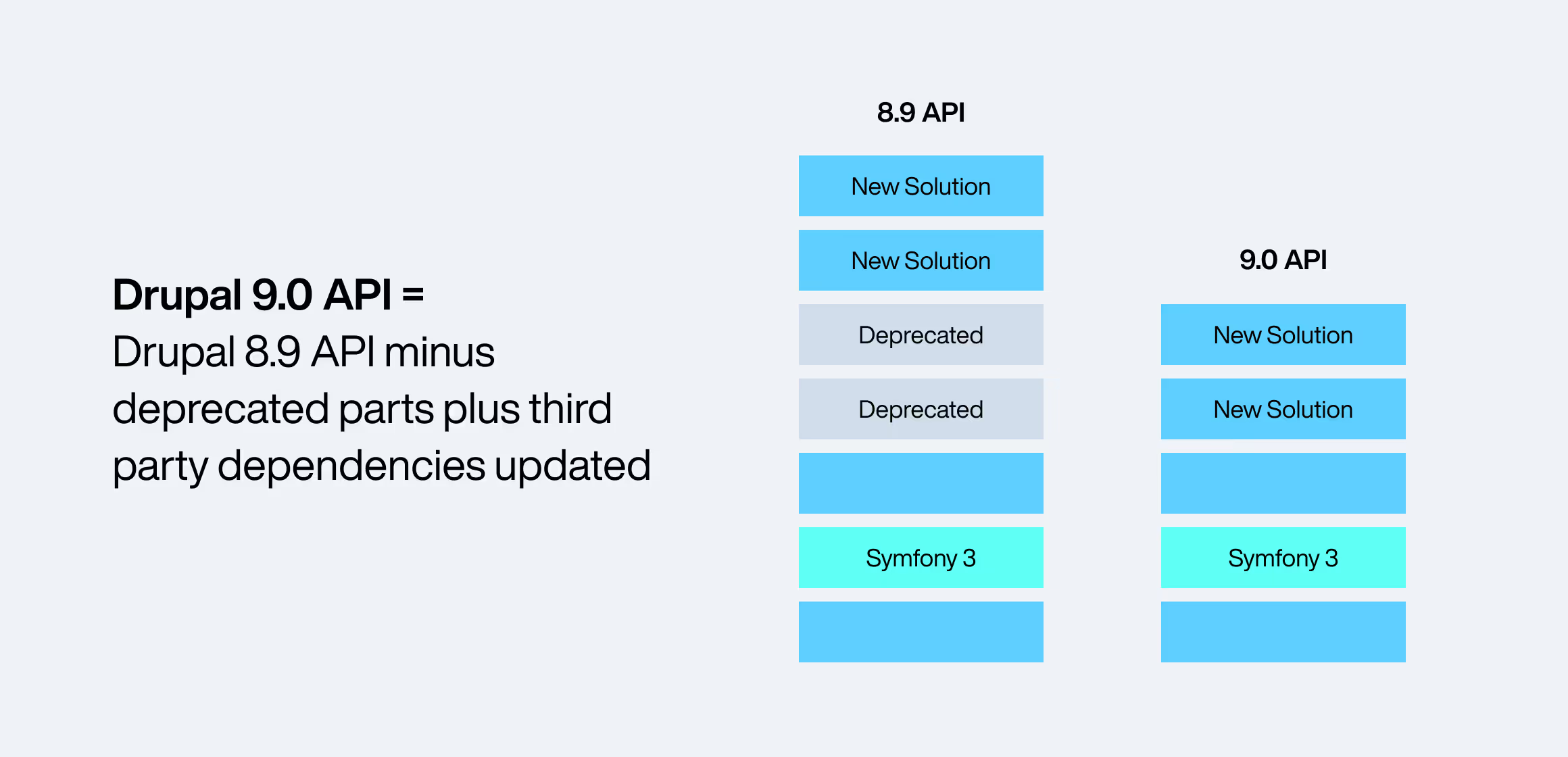
“The big deal about Drupal 9 is…that it shouldn’t be a big deal” - Dries Buytaert.
With Symphony 3 end of life in November 2021, now is the time for site administrators to start preparing for the Drupal 9 upgrade.
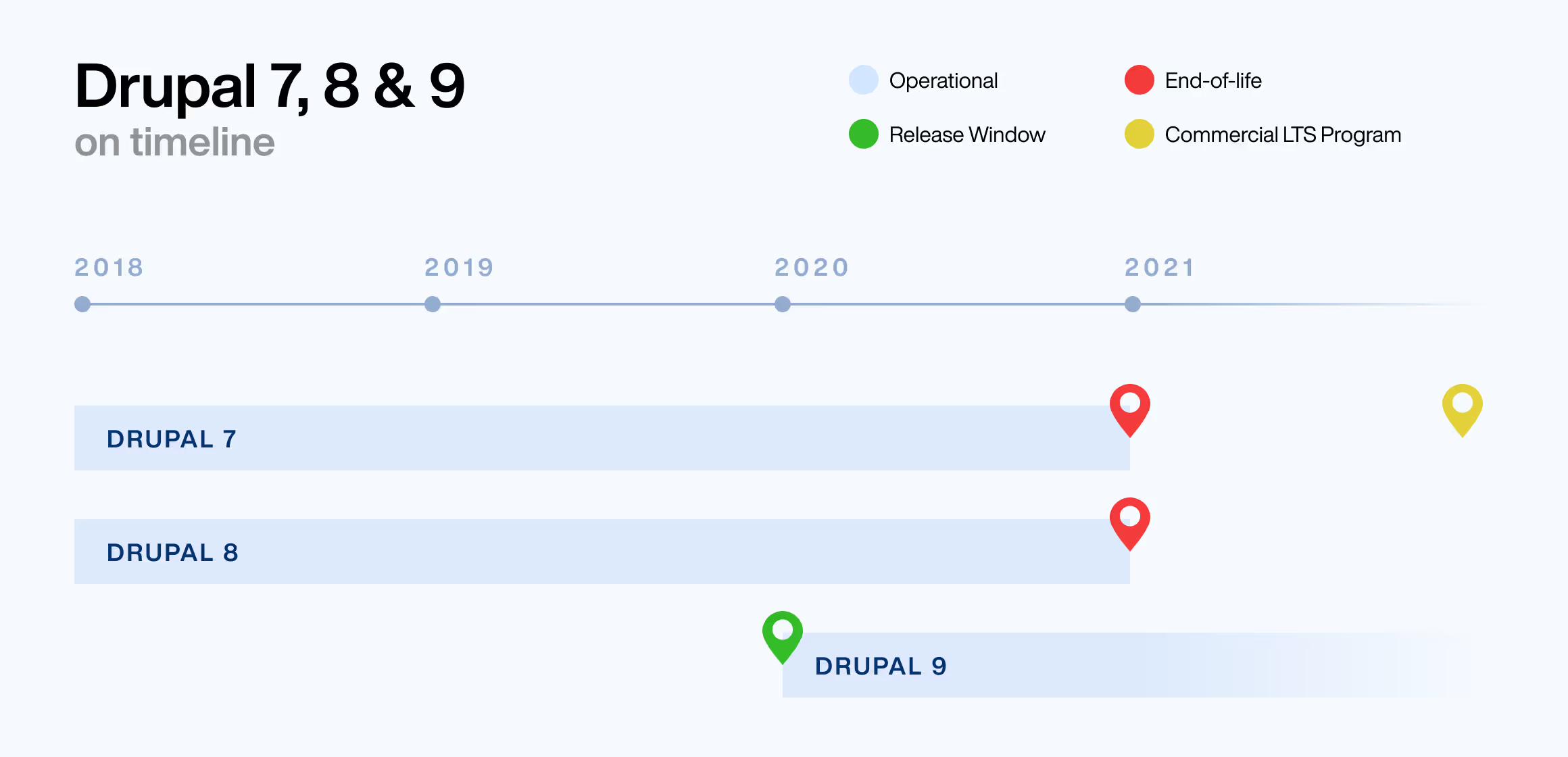
Drupal 7 end of life
There are approximately 7,30,000 websites on Drupal 7 currently. The worldwide Covid-19 lockdown pushed D7 end of life to November 2021 and the extended support to 2022, giving site administrators plenty of time to upgrade to Drupal 8 or 9. With Drupal 9's release in June 2020 and Drupal 8 end of life in November 2021, site administrators can choose to migrate Drupal 7 sites directly to Drupal 9 or via Drupal 8.
In case you are still on D7, we are here to help!
Upgrade or Wait?
Drupal 9 was released in June 2020, way before Drupal 7’s end of life. Even with the extended support for D7, eventually, the community will no longer provide updates, security fixes, and enhancements. (maybe available on a limited basis from select commercial vendors at a cost)
If your current website isn’t facing any issues at the moment, it tends to induce a laid back outlook. Sure your website might perform perfectly right now, but without the necessary upgrades, eventually, she will get rusty and creaky.
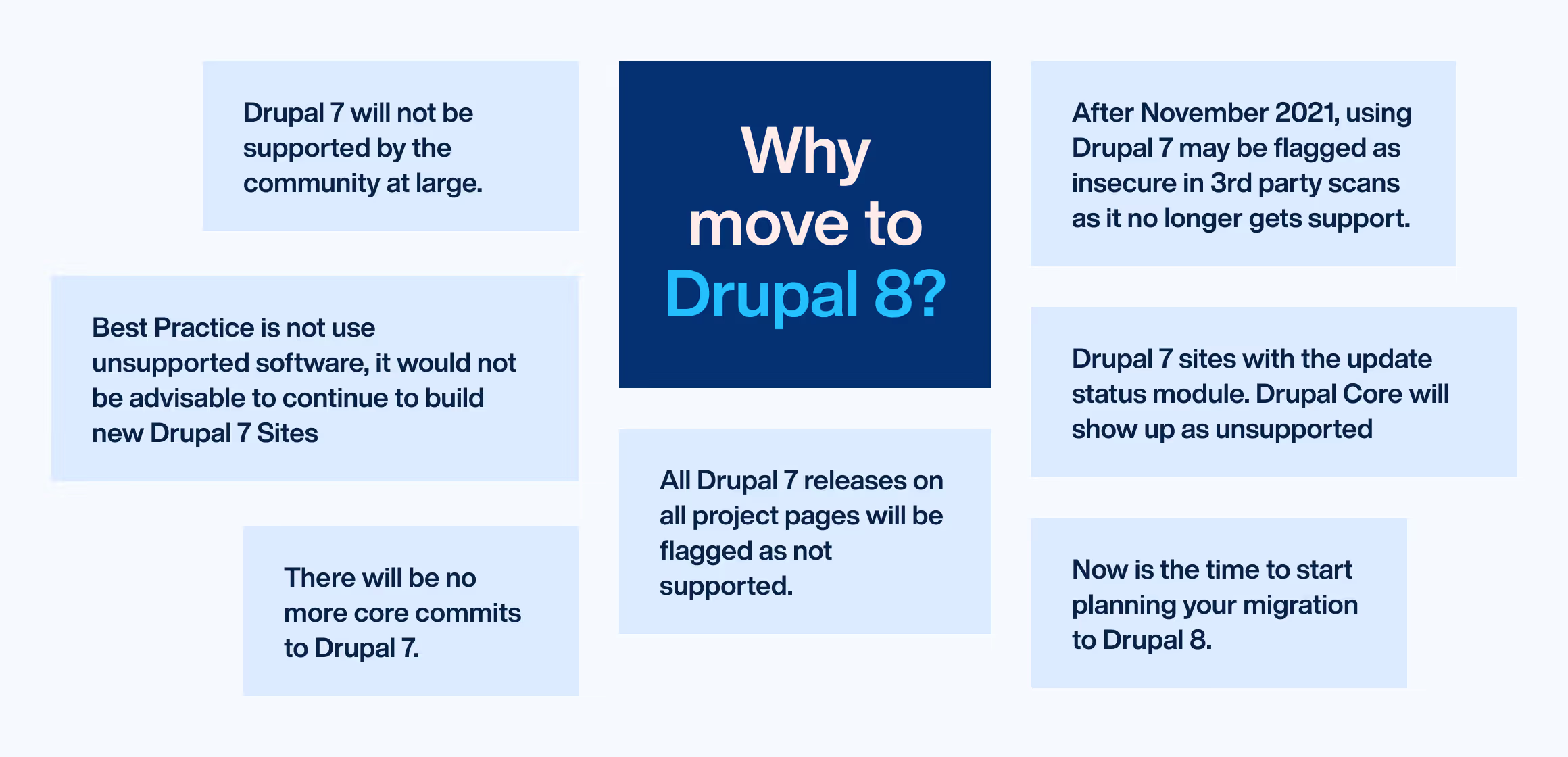
The implications of stalling an upgrade:
- Drupal 7 will not be supported by the community at large
- There will be no more commits to Drupal 7
- Security and performance issues will arise
So is there any scenario where you should wait?
The only scenario that we can think of in which it makes sense to wait is if your organization plans to club design refresh of your website with the upgrade and if for some reason redesign is delayed (budget, resourcing) as re-design often comes with layout & content strategy changes. Order of execution if Redesign and upgrade don't overlap will be:
Drupal 6/7 > Drupal 8 > Redesign > Re-do the layouts / content strategy in Drupal 8 or Drupal 9 --- (Rework / Inefficient)
If there are no budget or other constraints then revamping the design is the best milestone while upgrading your site, as you can get face-lift and tech enhancement in one go and also turns out to be much cheaper.
Upgrade to Drupal 8 at Next Chance Available!
As discussed before, Drupal 9 is built on top of Drupal 8 making it backwards compatible with Drupal 8. This allows for a smooth upgrade from Drupal 8 to 9 and similarly to Drupal 10 as well and once you are on Drupal 8, as long as you are upgrading to minor versions of Drupal 8 regularly there won’t be any major surprises from Drupal 9! Considering that, We recommend that you upgrade your Drupal 7 site to Drupal 8 at the next chance available because the extended support for Drupal 7 is short term and a less secured fix, and why would you want to lose out on all the benefits of Drupal 8 today when the Drupal 9 upgrade is smooth and cheap?
Once you are on Drupal 8, the next question that arises is:
What do I need to prepare for Drupal 9?
The best approach is to just keep your Drupal 8 website upgraded to the final Drupal 8.9 version as it is backwards compatible and the further upgrades will be as easy as any other minor version upgrade. Keep updating the contributed modules regularly, this ensures deprecated code removal. There are a few ways to check if your site is using the deprecated code.

Still, confused?
All this information may seem overwhelming and difficult to make a decision. We’ve got you covered! Reach out to us at business@qed42.com for a free consultation about your Migration dilemma.

Pune Drupal Group Meetup - May 2019
QED42 has always been an ardent participant in the Drupal community. We pride ourselves for contributing to the Drupal community via modules, code patches, Drupal initiatives, DrupalCons, DrupalCamps or hosting Meetups!
Drupal Meetups play an integral role in fostering community. Dries Buytaert was quoted on Drupal.org’s getting involved page:
It’s really the Drupal community and not so much the software that makes the Drupal project what it is. So fostering the Drupal community is actually more important than just managing the code base.
We hosted the Pune Drupal Group monthly meetup on 18th May 2019 at our office. The healthy turnout to the local meetup was a reflection of how connected the Pune Drupal Community was.
Packed with people, plenty of snacks, and laptops our Meetup commenced. After a brief introduction from all the attendees, the lights dimmed and Meena Bisht from QED42 started her session ‘ Be Ready for Drupal 9!’
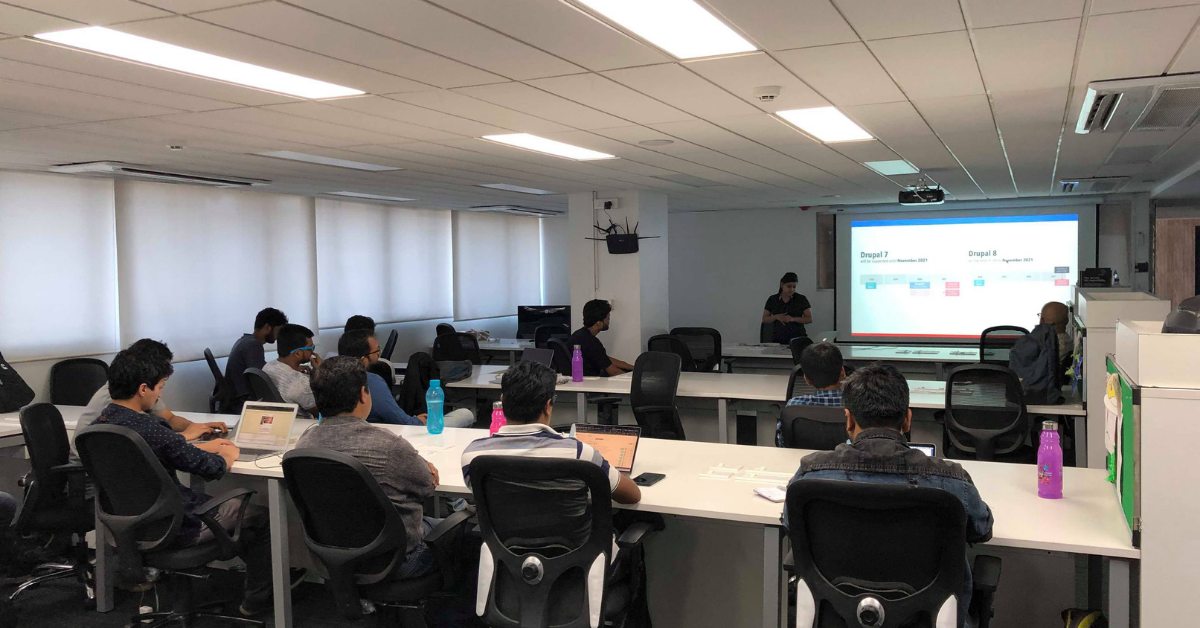
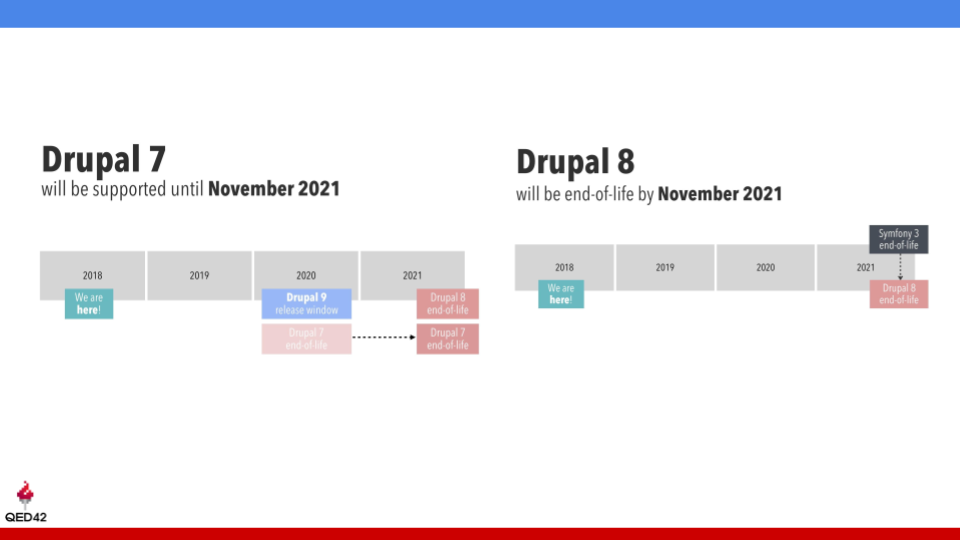
It was a highly interactive session that pivoted around Drupal’s ever-evolving nature. She spoke about how long Drupal 7 will be supported, Drupal 8 end of life, and how it would impact businesses. Drupal 8.7 features - Layout Builder and Media Library and challenges faced while moving from Drupal 7 to Drupal 8.
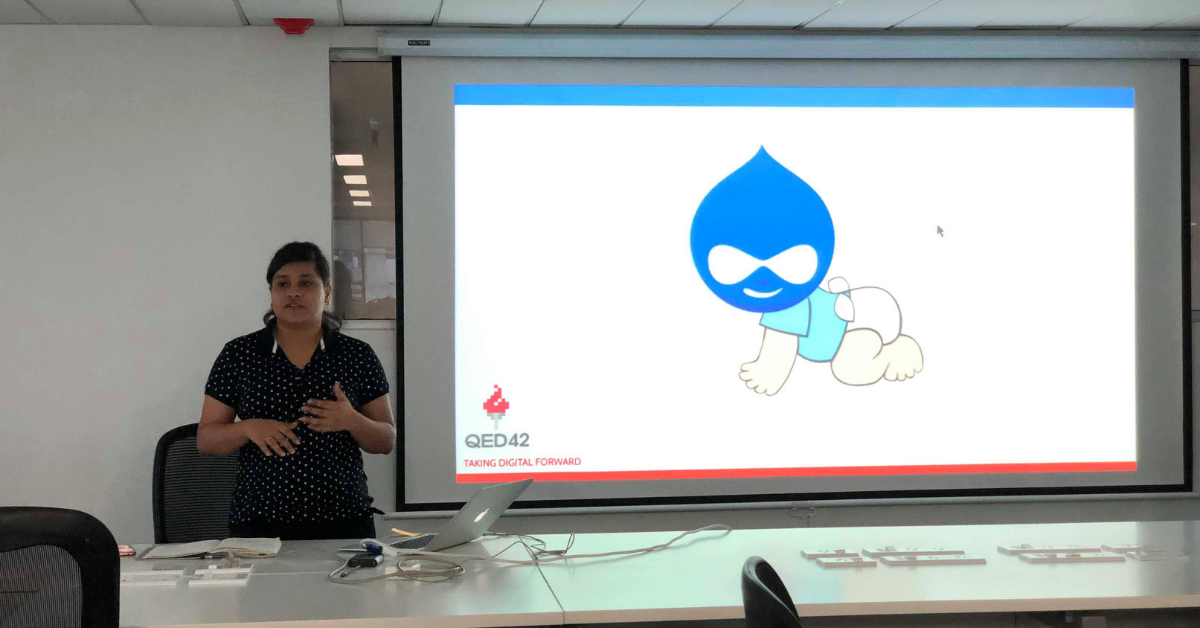
We welcomed the newest member to the family, Drupal 9.
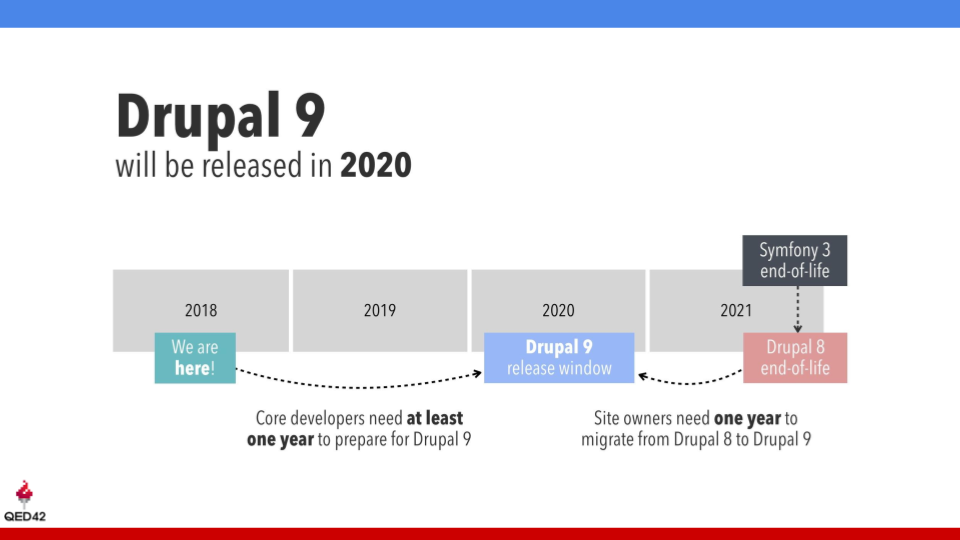
The session also covered the Drupal release cycle, which justified the difficulties faced while moving to Drupal 8. We were relieved to know that upgrading to Drupal 9 would be a lot easier thanks to the minor upgrades.
The session shed light on why an upgrade is required, and what to expect out of Drupal 9. We ended the session with useful tips on tools for checking our deprecated code while preparing for Drupal 9.
Post session, we discussed the hurdles faced during the earlier version releases, our inhibitions, and expectations from Drupal 9.
After a quick break with refreshments and offline chats, we gathered back for the BoF session on the configuration management system. We discussed the origin of configuration management, as a Drupal initiative, the different configuration issues faced by us and identified solutions.
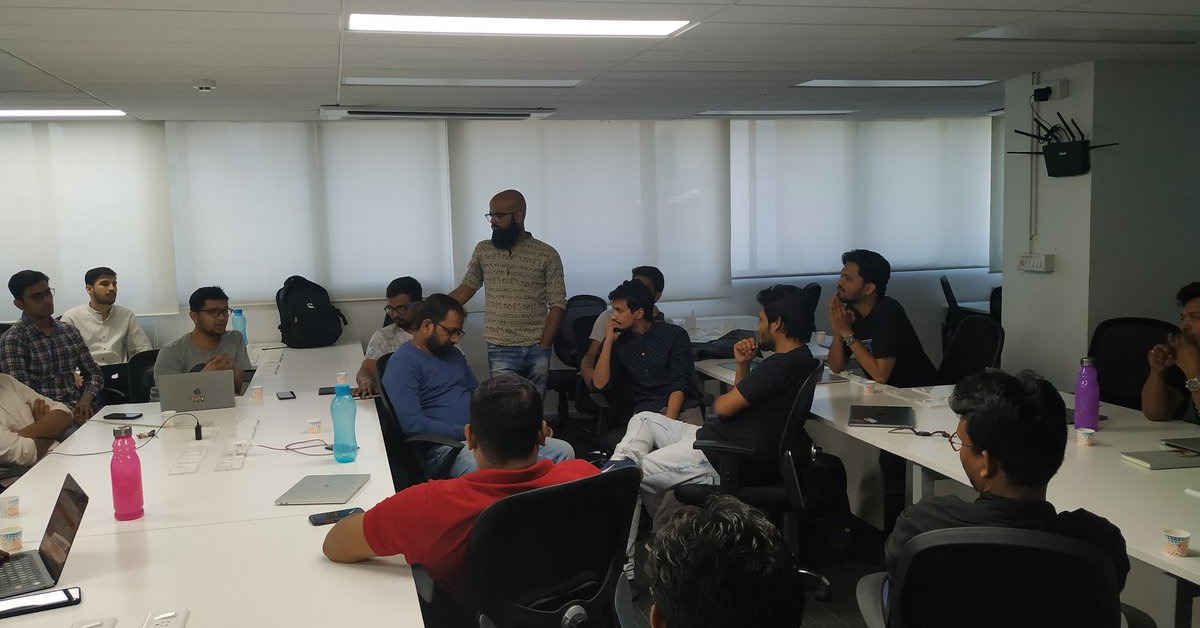
Lastly, we chalked out a map for the DrupalCamp Pune. All the attendees brought helpful ideas to the table, location, sessions, sponsorships, etc.
After an informative and super lucrative agenda of sessions, BoF, and DrupalCamp Pune planning, we wrapped up our Meetup.

Everything You Need to Know About Drupal 8.7
Drupal 8.7.0 was released on 1st May 2019. Apart from bug fixes and dependency updates, Drupal 8.7 facilitates creating page layouts and media management. Decoupled web experiences are now easier to manage and deliver, saving production time and effort.
JSON:API at Core - facilitates Decoupling
JavaScript Object Notation(JSON) is an open data format and syntax to exchange and store data, widely accepted as preferred data exchange used in web services, especially RESTful services.
JSON:API is a specification for how a client should request that resources be fetched or modified, and how a server should respond to those requests.
The latest Drupal 8.7 update includes JSON:API as a part of the Drupal core. This makes Drupal an API first platform for building both decoupled and omnichannel experiences. It facilitates building REST APIs in JSON through which a Drupal website can share its data with modern JavaScript Framework like React, Angular and other interfaces like Alexa, Chatbots, etc.
Functionality:
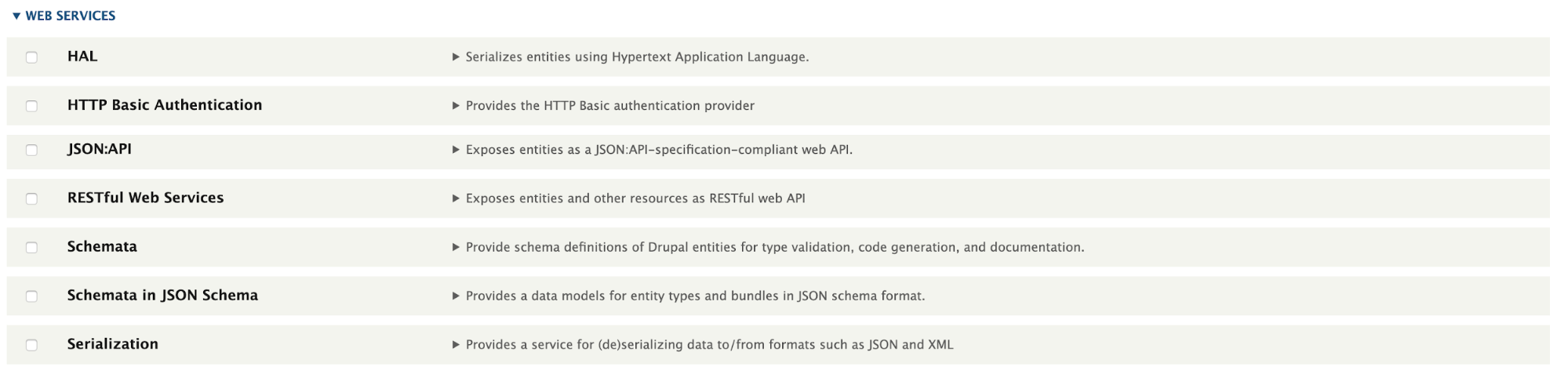
- JSON:API module exposes the entities as a standards-compliant web API which allow data to be pulled from third-party URLs or API’s.
- By enabling JSON:API module, you can create a RESTful API endpoint effortlessly for every type (content, taxonomy, user, etc.) in your Drupal application.
- JSON:API inspects your entity types and their bundles to dynamically provide URLs. These URLs access every entity using the standard HTTP methods, GET, POST, PATCH, and DELETE.
Benefits:
- It minimizes both the number of requests and the amount of data transmitted between clients and servers. This efficiency is achieved without compromising readability, flexibility, or discoverability.
- JSON:API ensures that a module should be production-ready. This means the module is highly opinionated about where your resources will reside, what methods are immediately available for them, and allow Drupal Core's permissions system control the access.
- Configuration pages are no longer present in this upgrade (Drupal 8.7). This means that you can get an API-driven Drupal application up and running with minimal effort.
Stable Layout Builder - effortless Layout creation
The Stable Layout Builder was released with Drupal 8.6 as an experimental module and is now stabilized in Drupal 8.7.
Functionality:
- Layout Builder is anchored on one of Drupal’s stronger features – the ability to create structured content; but it faces some of the same accessibility challenges encountered by WordPress’ Gutenberg editor.
- Drupal's Layout Builder offers a single, powerful visual design tool for three use cases:
- Layouts for templated content: Creation of ‘layout templates’ that will be used to layout all instances of a specific content type (e.g. blog posts, product pages).
- Customizations to templated layouts: The ability to override these layout templates on a case-by-case basis (e.g. the ability to override the layout of a standardized product page).
- Custom pages: The creation of custom, one-off landing pages not tied to a content type or structured content (e.g. a single "About us" page).
Benefits:
- Drupal 8.7's Layout Builder allows content editors and site builders to easily and quickly create visual layouts for displaying content.
- The Layout Builder provides the ability to drag and drop site-wide blocks and content fields into regions within a given layout. Additionally, custom "inline" blocks can be created for one-off details specific to a given layout.
- Users can customize how content is arranged on a single page, across content types, or even create custom landing pages with an easy to use drag-and-drop interface.
The Layout Builder powerful when combined with Drupal's out-of-the-box features such as revisioning, content moderation, and translations.

Watch the Demo of Drupal 8 Layout Builder here!
Media Library - better media experiences
Drupal 8.6 had Media Library in the Drupal core, which was a part of Media Initiative.
Media and the Media Library, have acquired best functionalities from a couple of contributed modules. Introducing amazing functionalities like reusable media, media types, media fields, and more. Drupal 8.7 Media Library comes with a new and easy to use user interface, making it easier to work with.
Benefits:
- Add diverse types to your site.
- Save and repurpose media in your Media Library.
- Insert media within your content.
- Embed remote YouTube and Vimeo videos via URLs.

There are Third-party library updates available in Drupal 8.7.0:
- Guzzle has been updated from 6.3.0 to 6.3.3.
- Previously, Drupal packaged a copy of the PEAR Archive_Tar library in a Drupal core namespace. In Drupal 8.7, this has been deprecated and replaced with a proper Composer dependency on this library. The dependency has also been updated to version 1.4.6.
- Coder to ^8.3.1
- CKEditor has been updated to 4.11.3.
- Twig has been updated to 1.38.4.
- A number of other PHP dependencies have also been updated, including:
- composer/installers to 1.6.0
- composer/semver to 1.5.0
- egulias/email-validator to 2.1.7
- paragonie/random_compat to v2.0.18
- Most symfony/* components to v3.4.26
- symfony/http-foundation to v3.4.27
- symfony/polyfill-* to v1.11.0
- Stylelint has been updated from 9.1.1 to 9.10.1.
- typo3/phar-stream-wrapper to v2.1.0
Other updates you can find in Drupal 8.7 are:
Internet Explorer 9 and 10 will not be supported in Drupal 8.7
The 8.7.0 release is a final goodbye to Internet Explorer 9 and 10. It removes a workaround that still existed in D8.5 and D8.6 Issue link: Internet Explorer 9 and 10 support dropped from Drupal 8.4.x
Goodbye PHP 5 support
Drupal 8.7 is the last release to support PHP 5. Updates for existing websites that use PHP 5 are still possible, but a warning will be displayed. In release 8.8, Drupal security updates will require PHP 7.
Entity updates will not be automatic
In new Drupal 8.7.0 release, the support for automatic entity updates has been removed. The reason is data integrity issues and conflicts. So the drush entity: updates (drush entup) command no longer works. Changes to entities will now be performed using standard update procedures.
Symfony 4 and 5 compatibility issues resolved
Additionally, numerous critical Symfony 4 and 5 compatibility issues are resolved in this release.
Changes to base themes (Stable, Classy)
This release includes some small changes to the core's base themes (Stable, Classy). Themes that extend one of these base themes should review the following changes. JavaScript messages template changes. Pager CSS ID changed from "pagination-heading" to a unique ID.
These Drupal upgrades are gradually getting us ready for Drupal 9. If you have questions regarding Drupal upgrades we are here to help. Drop us a word at business@qed42.com.
.avif "Story behind our Hindi Drupal t-shirt")
Story behind our Hindi Drupal t-shirt
It was in 2009 we ventured into the open source community, Drupal. As newcomers, we were excited to be a part of this dynamic community. All these years we have received immense amount of love from the community. In return, we wanted to create something that would show our dedication towards it. A design that would communicate our indigenous identity. An idea that would shout QED42. It is said that honest emotions are well presented in your mother tongue. And we chose Drupal illustrated in Devanagari script as our USP. That was the beginning of the glorious era of द्रुपल.
There are some ideas that you are not really sure about whether they would work out or not, well this was the exact opposite of that. Everyone in the team was immediately on board.
Version 1.0
The story behind this is interesting. This maiden attempt was inspired by unconventional truck art. Here are some images that served as an inspiration.
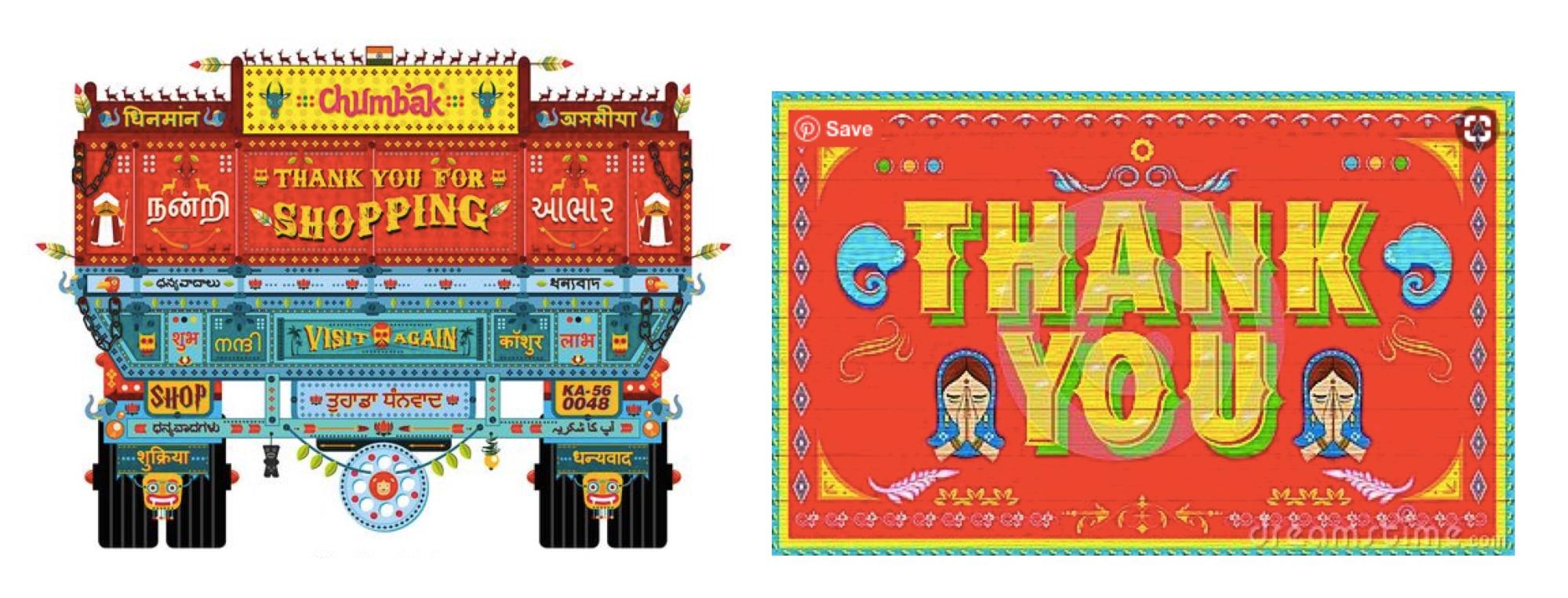
The final design featured simplified truck art aesthetics. Bold colors and graphic lines found in truck art were incorporated into our design. The overlapping colors and outlines highlighted our design.
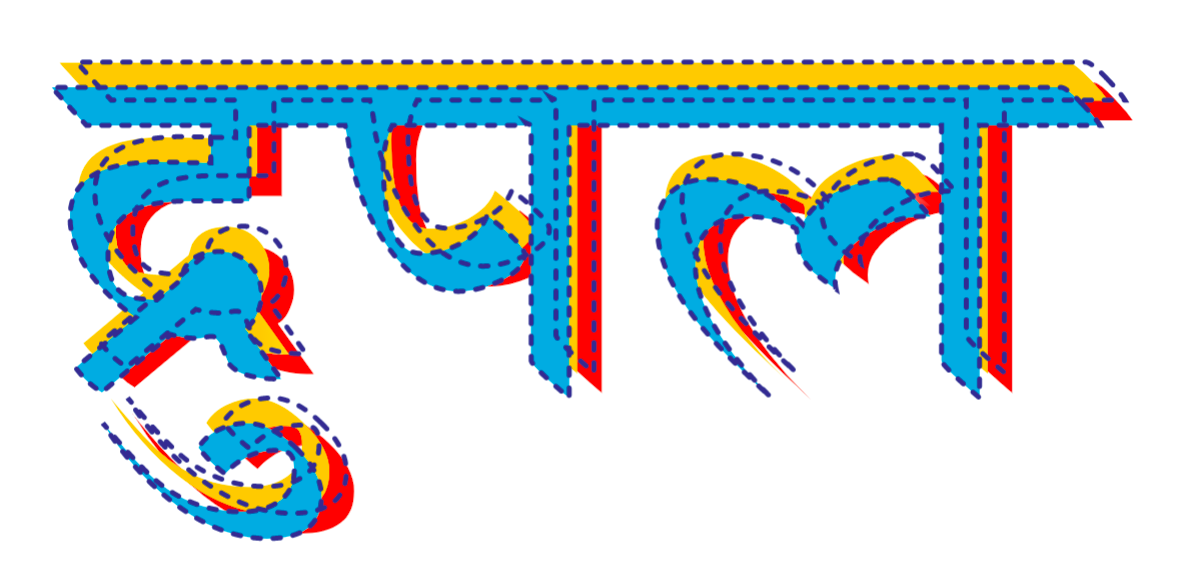
We launched this T-shirt at Drupalcon Asia and the reaction we received, reaffirmed our faith in the design. People across different platforms were curious about our design and it was a huge hit!
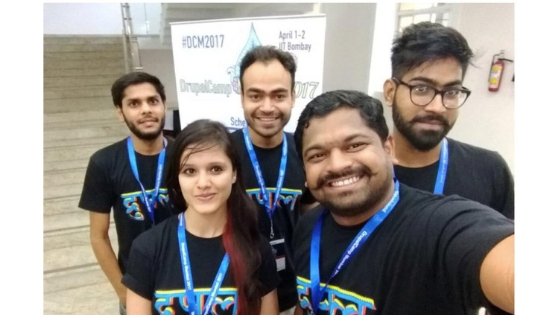
Version 2.0
For the second edition, we had to come up with something grander. And what could be grander than our very own country; welcome to India! The land of colors. This design boldly speaks about the country. We wanted to incorporate the vivid diversity of India. Playful forms and vivacious colors that reflect our Indian culture.

We chose different symbols that would clearly convey our identity. Lotus [National Flower] is an important part of our heritage and is used on multiple occasions..The peacock long considered as the magical bird of Orient was also featured in our design. Elephant the central figure of Indian mythology can also be seen in this version of our devnagari Drupal. We also explored different printing techniques this time. We experimented with gradients and embossing and the result turned out to be really great.

150 T-shirts were distributed and demanded like hotcakes on the very first day of Drupalcon Nashville. Everyone absolutely loved the design and it was all over the social media channels in no time! This boosted our confidence.
Version 3.0
For our third version, we decided to go a little contemporary. These are a couple of images that we gathered to get us going.

The final design was the result of experimentation with 3D lettering and a range of textures. We explored how we could add complementary elements to make the graphic more appealing. This version was released in Drupalcon Seattle.
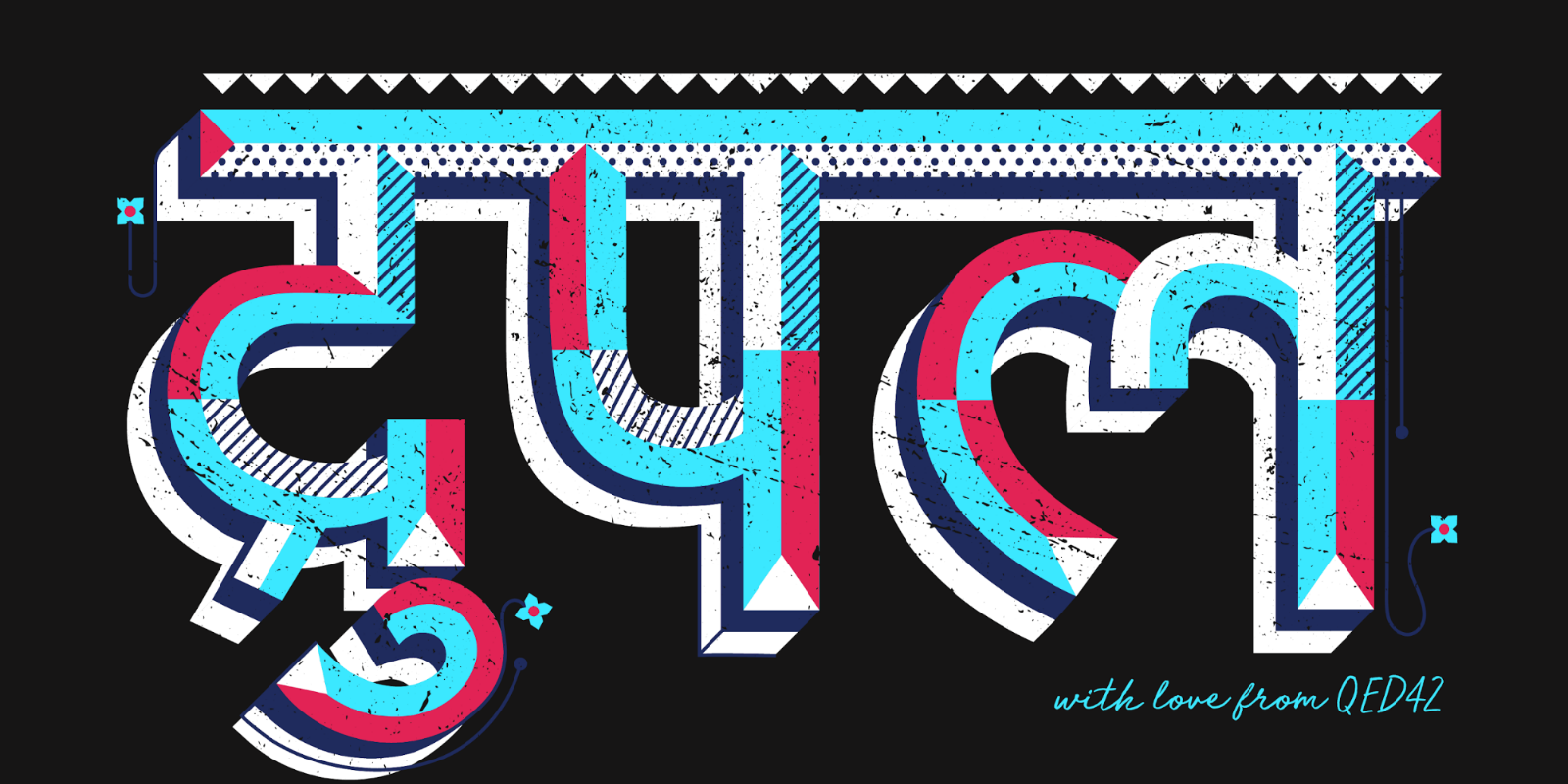
We are as excited about version 4.0 as you are. Our designers are busy discussing the next big idea. Stay tuned for more updates!
Riddhi Juyal has been of great help in putting our story of Drupal Hindi T-shirt in words for this blog.

Design and Drupal ~ DrupalCon Seattle
Fresh from Seattle, and I absolutely can’t wait to share my Drupalcon Seattle experience. Five days of being in the astounding Drupal community and I’m still brimming with excitement. When you imagine a conference for a tech-driven platform, you visualize straight jackets and capital cases. But that was certainly not the case with Drupalcon. Design influence at Drupalcon was huge. It could not only be seen visually but could also be perceived behind all activities, talks and community interactions.
Five days in Seattle marked the global celebration of the Drupal community. Entering the exhibition space - all you could see were colors and emotions. All the companies were weaving unique experiences in their limited spaces. Every brand was fighting for who can attract the most attendees. Drupalcon never fails to surprise us but this year it was even more colorful and fun. Imagine people whizzing by on roller skates and wearing bright silver jackets. And you would get the vibe that was going on. You could see the impact of design at every corner, at every booth. I am a designer. And, I could vividly imagine all those in-house designers planning months in advance. Personalized games, personalized interaction, and personalized goodies! All proclaimed that a lot of cool design thinking was going on behind the screen.

Every booth came up with a concept for themselves. Four Kitchens Midway's booth stood out. Their booth's concept was 'Circus'. They subtly hinted about all their services using the themes found within the circus. Look at that clever copy of “The astounding UX oracle”! These overlapping integrated themes definitely created a high-interest quotient among the viewers. Four Kitchen Midway’s offbeat theme was very appealing to all the visitors. No wonder, their booth was busy at all times.

A notable showcase by Four Kitchens was the green color as their branding. From all across the exhibition center, everyone could see the high flying green balloons marking the arena. It created an element of curiosity and prominence in the event. Besides being a really fun activity, Karaoke party was also a unique collaboration between three companies - Manati, Four Kitchens, and Kalamuna. These companies effectively leveraged joint resources to create a great public relations event.
Bold color choices were seen all around the exhibition. Drupalcon logo that talks about the diversity of the Drupal community through a spectrum of colors were everywhere - in different shapes and layouts.

Many companies were oriented towards the process of design thinking. Right next to our booth was Promet Source which brought the concept of human-centered design. They explained this process to the visitors which was a great way to start a conversation. They even encouraged visitors to contribute to an existing mind map. This surely gave the visitors a mindful insight on how Promet Source works and also testified how design thinking is seeping into Drupal oriented companies.

As I was going through different booths, I was completely bowled over to see puppies and bunnies. These fury helpers were the major attraction point on the exhibition closing day. People were queuing up to greet these volunteers. I immediately joined that queue. They surely gave the moral support all DrupalCon attendees needed, after three days of community conversations.

Drupalcon has always embraced diversity. This time they brought the concept of gender spectrum stickers. This was a novel initiative making the brands more humane and conveying empathy. You could see stickers with different pronouns on them, which were a great way for everyone to walk the talk.
Some Drupal agencies preferred minimalism when it came to booth design. Companies followed ‘less is more’ philosophy and managed to communicate what they had to in the simplest of ways. Designing a booth takes a lot of thinking and decision making. The look and feel of a booth play an important part in creating an inviting aura for the place. This includes all the components of the booth interiors, such as furniture, the color of the booth, lighting, etc.
I speak on behalf of the Drupal community when we say we absolutely love our Druplicon character. Where else can you find all the endearing qualities of Drupal and its community humanized? This Druplicon was everywhere at Drupalcon. Some brands used it as a character, some for branding, and some as mascots.

Drupalcon stickers dominated the arena. Every booth was offering its own version of the Drupal design. Stickers on various subjects like Drupal, Seattle, community, identification and, branding. Sticker hoarders were going from booth to booth looking for the most exclusive stickers for their collection. Drupal Community coders are known to proclaim their love for Drupal with the aid of Drupal stickers, which they put on their laptop screen covers. Many of these could be seen in DrupalCon, their Drupal sticker collection proudly on display.

Continuing their legacy, Pantheon brought their screen-printed T-shirts to their booth that were available in four designs. Everyone wanted a Pantheon T-shirt for themselves. It was exciting to watch the T-shirts getting printed right in front of you. It was pretty difficult to choose one from the four different print options they had in yellow and white. I took the one called ‘I make the internet’ (yes, it is the cool graphic shown in the picture above).

At the QED42 booth, we released V3.0 of Drupal Hindi t-shirt. It garnered love from everyone. All visitors were attracted towards the novel Hindi design. I was beaming with joy when people came to us especially seeking our Hindi Drupal design.
On the last day, we got a chance for a breather and we visited all the booths. We saw and loved countless ideas and inspiration was plenty. The energy at Drupalcon is infectious and it is always fun to be a part of this community. As DrupalCon draws to a close, it was clear that the combination of design and Drupal is here to stay. We are ready to embrace it.
Riddhi Juyal has been of great help in putting my thoughts to words for this blog.

Pune Drupal Meetup - January 2019
Last month, Pune Drupal community conducted a Global Training Day event. It was a successful event and saw huge participation from Pune Drupal community.
Pune GTD reminded us that community is what makes Drupal so special and that interaction between the community members was somewhat missing from our Drupal life.
With the hope that we can change this, we had planned to increase the community participation by bringing back our monthly Drupal meetups.
And we did deliver on our plan! We had our first Drupal meetup of the year on Saurday, 12th Jan at SISCR, Pune.
The day started with a session on 'Docksal for Drupal' by Sharique.

The session covered the basics of containers and the difference between virtualization and containarization followed by a detailed demo of setting up a Drupal instance using Docksal and managing various configurations for Docksal.
Overall, this was a great introduction for developers & teams trying to adopt Docksal for their development environment.
Highlight of the day was the next session on the topic of Accessibility presented by Nikita, Ambuj & Sonal.
Nikita started the session by explaning basic concepts of Accessibility and day-to-day programming tips & tricks developers/teams can follow to make their site accessible.

It was followed by Ambuj's explanation of QA's perspective on Accessibility and what should be expected by users & testers for an accessible site.

Sonal concluded the session by going into the implementation details, specially the easy ways a developer/team can make their site accessible.

We ended the day having by a general BoF on 'How to increase the community participation for Drupal meetups'.
This was a very productive discussion and the community identified the challenges of setting up a quality event and came up with action items for them.
- Attendees want to see a variety of topics instead of just having them limited to Drupal Backend and Custom Module development. The session on Accessibility was much liked by the community and they'd love to see more such topics.
- There's a need to streamline and improve the process of communicating Drupal events and their reporting.
We promise to work on the above and would love to see many of you join us in future meetups. Stay tuned to community updates for information on future events and topics!
Links to Session slides/resources:
1. Docksal: https://www.slideshare.net/safknw/local-drupal-development-using-docksal
2. Web Accessibility: https://bit.ly/2Dgw5P9
Alexa Account Linking and Custom Skill Model
At the point when Amazon launched Alexa, it changed the method for individuals connecting with the gadgets.Virtual assistants are quick getting to be ordinary in the home through items like Echo, Echo Show, Echo Dot, Echo Look and Amazon Tap.
The Alexa Skills marketplace is rapidly growing, below is the stats according to the voicebot.ai

Why Alexa skills are Important for business?
Voice search are growing day by day and it is the latest trend in the field on digital design. “There are over one billion voice searches per month. (January 2018)” estimates Alpine.AI.
Alexa is an awesome way to achieve a more extensive customer gathering of people, which is the reason an ever increasing number of brands crosswise over verticals are developing skills to catch and draw in with audience members. Alexa is amazon’s cloud based service available on tens of millions of devices from amazon and third-party manufacturers.
Alexa Skills are so new to the market, organizations have a universe of unbounded potential outcomes before them. Very little has been done yet, so there's a great deal of space to end up the first to provide one of a kind interaction to a particular sort of business.
Why account linking is necessary for business?
Account linking allow user to easily link there accounts with existing account or service account. It also allows your skill to securely authenticate user with services. Once the user granted your skill access to the external account the skill can perform operations with that account on behalf on the user.
Account linking lets you access the current users information by which you can provide user a personalized content as per their interests.
Account linking in the Alexa skill set uses OAuth 2.0. OAuth server return a authorization code instead of access token in the first step which gives couple on security benefits, for example, the ability to verify the client and also the transmission of the access token specifically to the client without going it through the resource owner’s user-agent and conceivably exposing to others, including the resource owner. Here the resource owner is the person who can grant authorization to get to an ensured resources in the resource server.
How Alexa account linking works with Drupal?
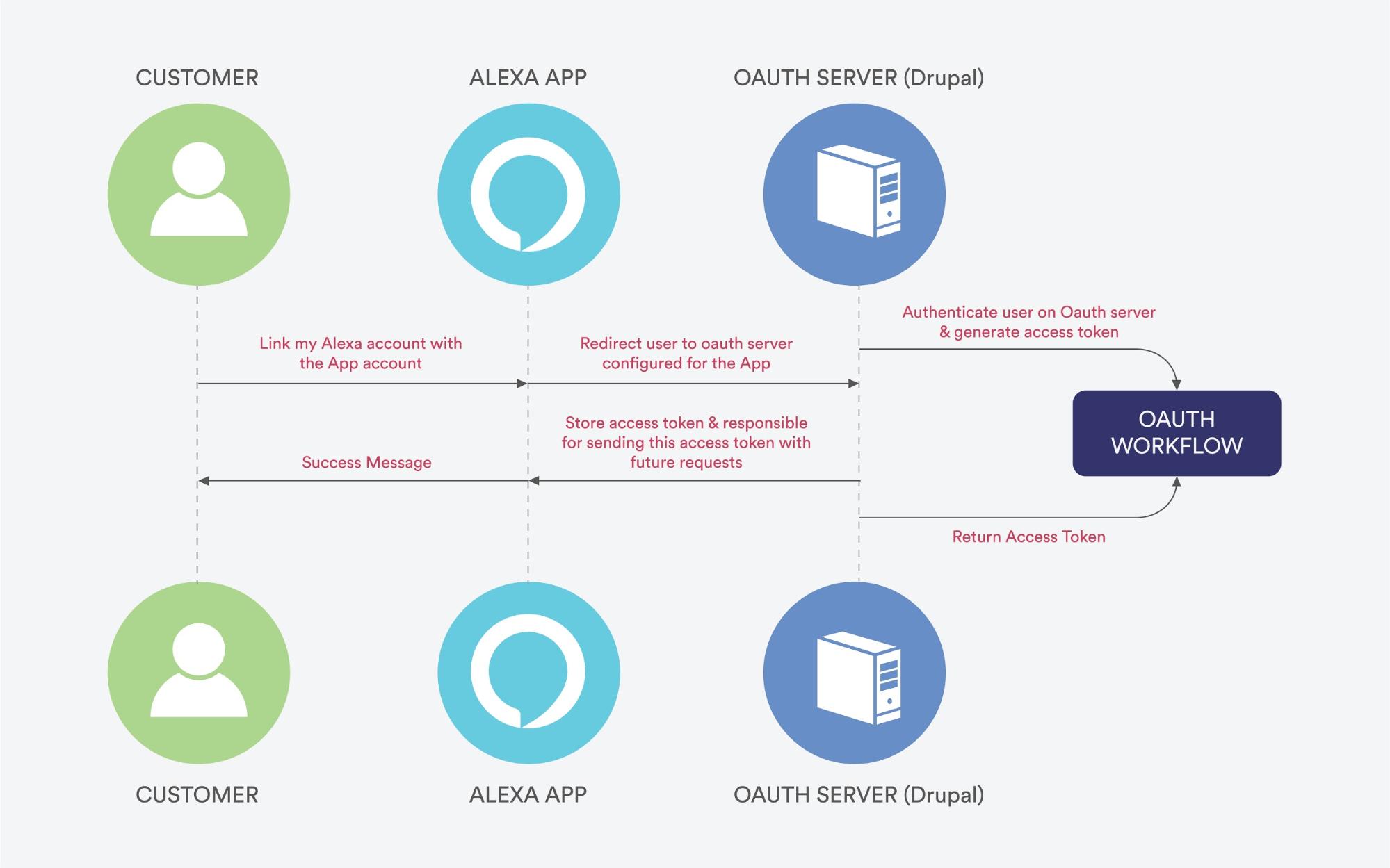
Account linking with Alexa skill
For custom skill model, account linking is a preferred choice if your skill needs personalized data from another system. Account linking lets you connect the identity on the user with a user account in different system.
Lets walk through an example to understand things more clearly, you have created a web-based service which enables user to order things, a custom skill that lets user access your service by voice would be useful. For example the request,“ Alexa add echo dot to the cart” requires the skill to access your service as a specific service user for adding product to cart and payment information. As the user is already registered on the website we need to get details of that particular user to perform above actions. Here we can’t use the amazon account of the user to identify him/her in our system because it’s not necessary that user will be using the same account to login on the both the system i.e. Echo dot and web-based service. In such scenarios account liking helps to identify user.
For custom skill models, the user completes an account linking flow in the Alexa app to log in to your service. Once the user is authenticated, requests and directives sent to your skill include an access token that your system can use to identify the user. Refer Overview of the Authorization code grant working for a better understanding of its functions.
Note: For account linking with Alexa the Drupal site must have an SSL certificate.
Steps to Implement Account Linking in Your Skill:
- Download and enable Alexa- simple_auth, simple auth extras, oauth2 server modules.
- Add new OAuth2 server - It will help authenticate the identity of the user and issue access tokens. The screenshot below provides an example of server configurations.
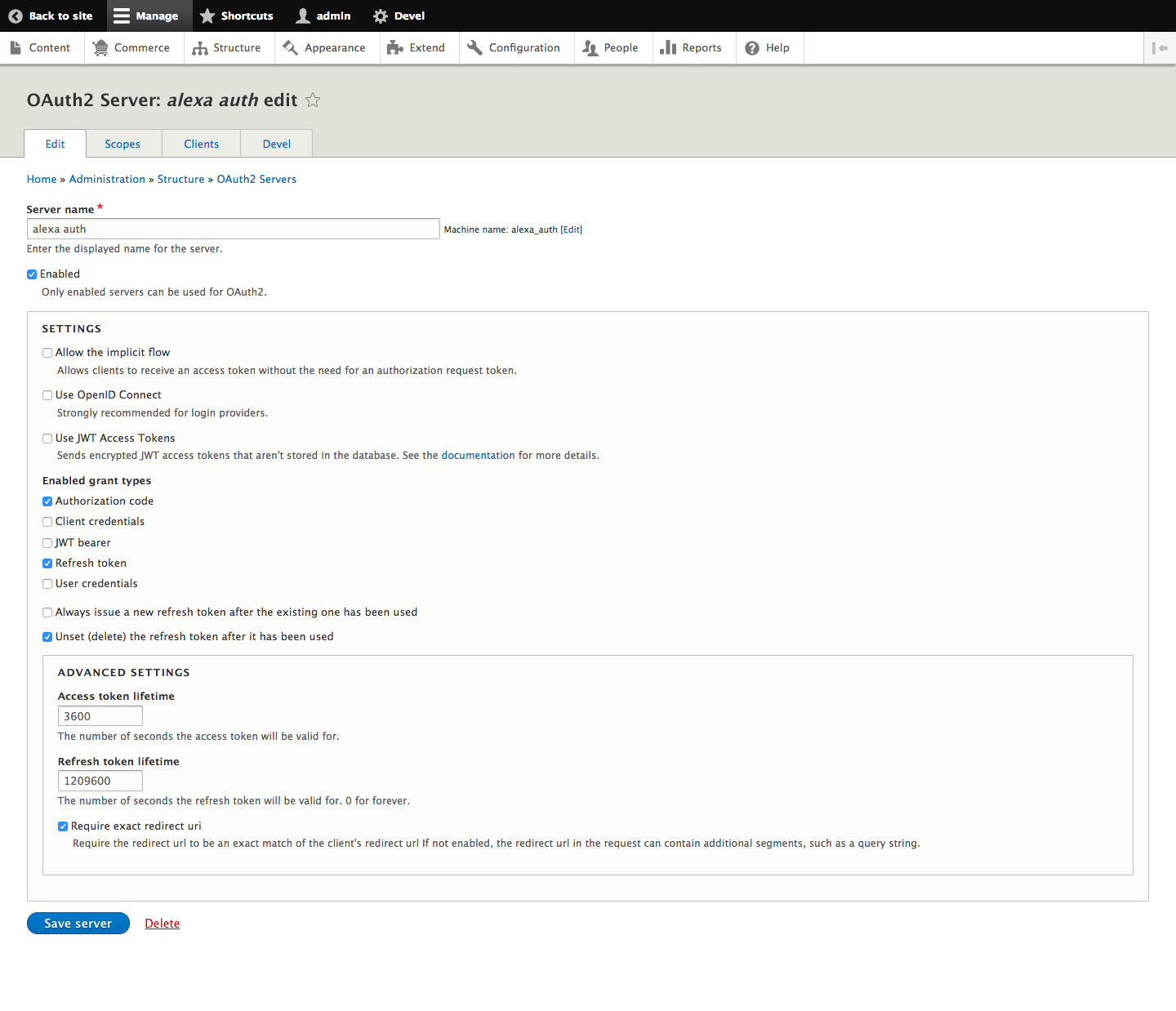
- Add new client- In here the Alexa skill will be your client, the skill uses access token to request information from the oauth2 server.
Redirect URI will be provided in the account linking section of the alexa developer console. (Check point 6 screenshot)
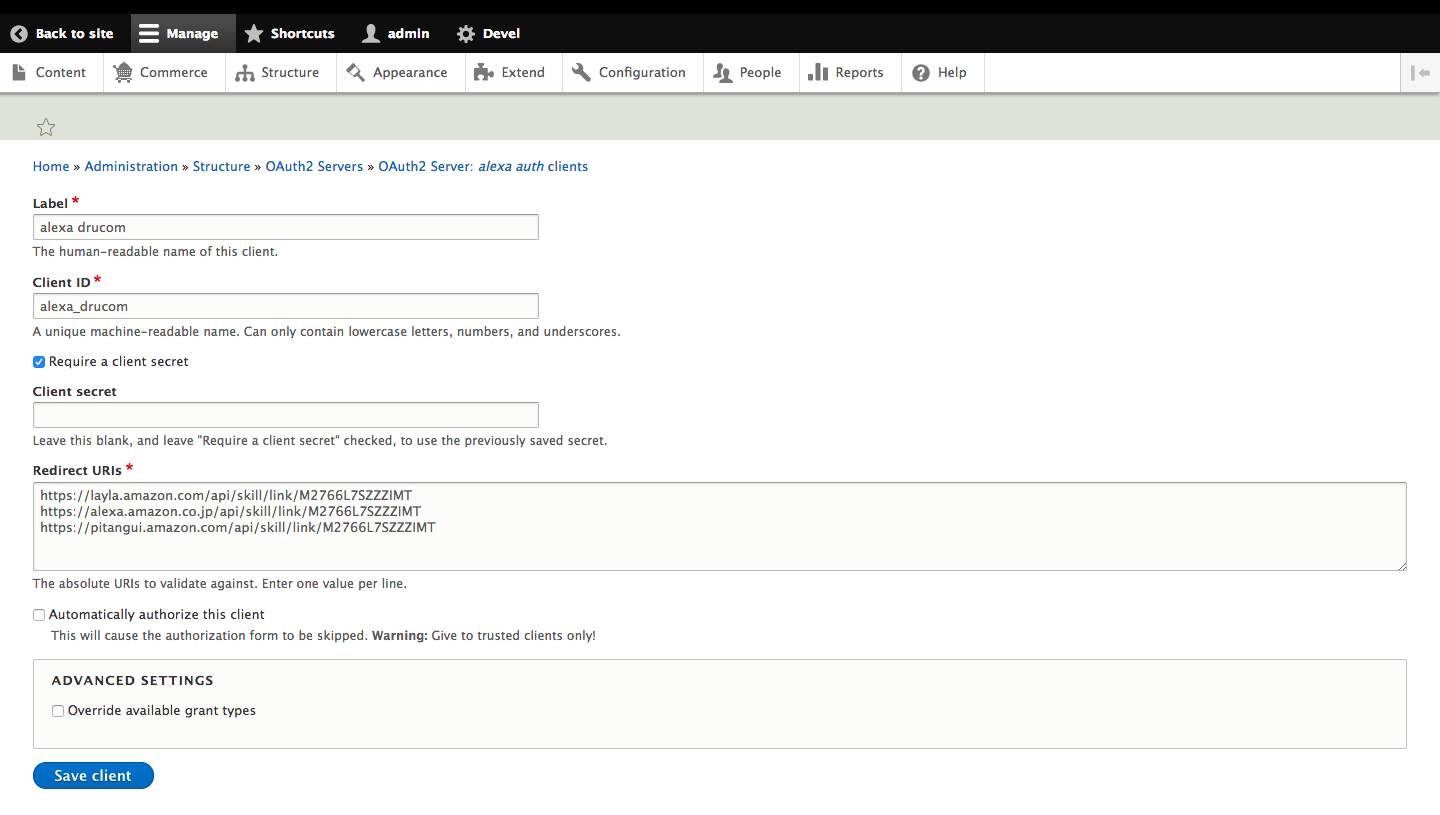
- Go to permissions page grant the permission to particular role as per requirement.

- Login to your Alexa developer account and go to the Account linking menu (second last on left sidebar)
- Select authorization grant type as “Auth Code Grant”, enter the client id and client secret as per the client created on the Drupal end.
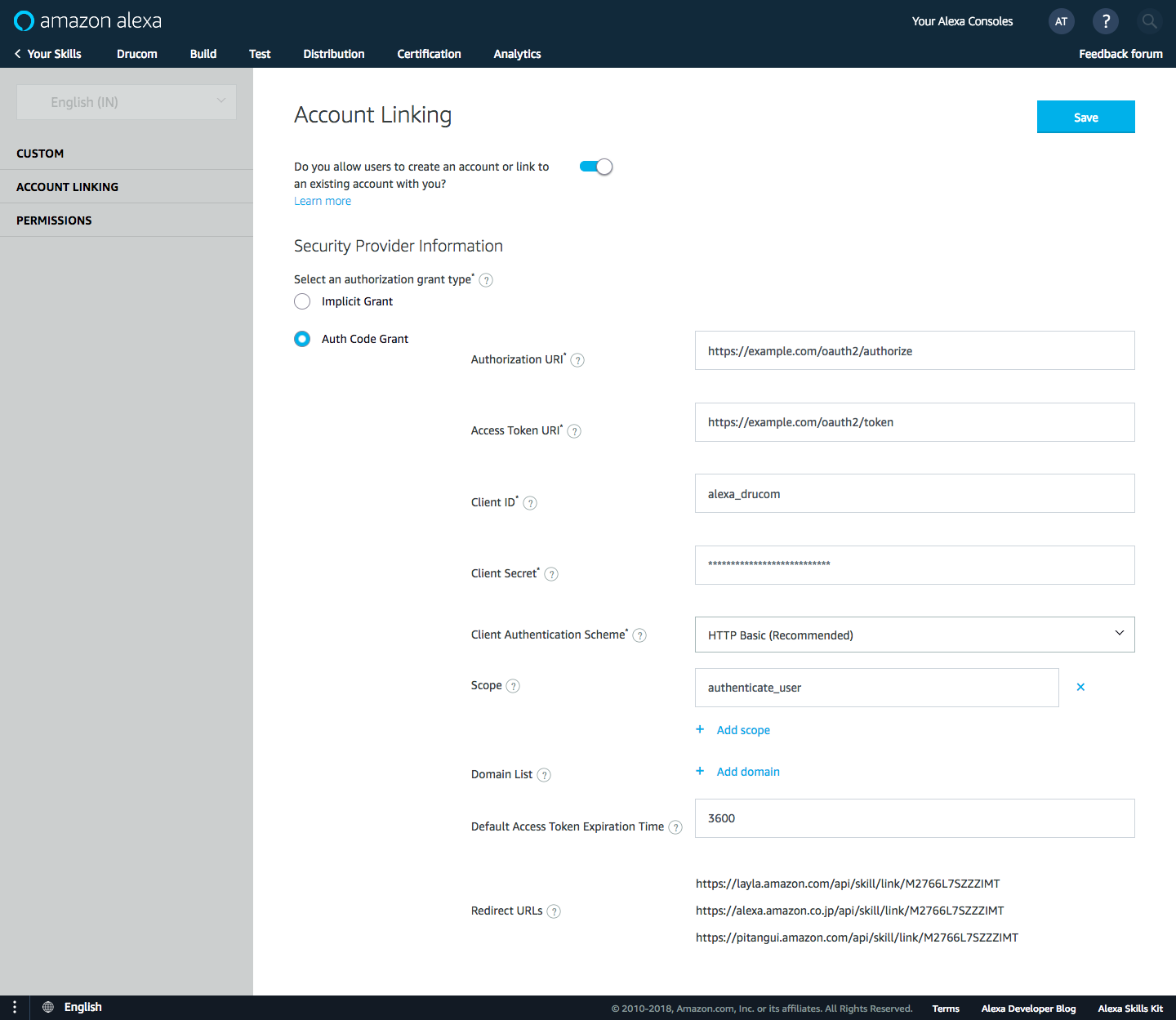
- Save and build the model and then go to Alexa application. There, enable your skill, and it will open a new tab that redirects the user to the Drupal site for authentication.
Identify a user from Alexa request
Once the user authenticates skill with the server, each time Alexa skill makes a request to the Drupal site, it would consist the access token from which the user can be identified.
Below is the sample Alexa request object:
OmniAuth for external authentication with rails
Omniauth is a pretty simple solution if you want your users to authenticate using oauth and openid providers. Its based on the principle that
Every authentication system can essentially be boiled down into two "phases".
- Request phase : we request information from the user that is necessary to complete authentication. This information may be POSTed to a URL or performed externally through an authentication process such as OpenID.
- Callback phase : In the Callback Phase, we receive an authenticated unique identifier that can differentiate this user from other users of the same authentication system. Additionally, we may provide user information that can be automatically harvested by the application to fill in the details of the authenticating user.
Omniauth doesn't handle your session, it mainly focuses on bringing you the required data from the provider and its upto you to manage the session. You can use any authentication system in rails to do that e.g devise, restful_authentication, authlogic etc. OmniAuth is the best solution for seamless integration of multiple authentication providers.
The Omniauth library was released by intridea and is a Rack based authentication system.
Idea
User is sent to /auth/:provider (provider can be twitter, facebook or any other), where he authenticates using the provider, and he returns to the callback url which is always /auth/:provider/callback. You just have to map /auth/:provider/callback to a controller action, where you get the response data in a hash.
Implementation
Include config.gem "omniauth" in your environment.rb file and run rake gems:install. You might get "libxml" missing, for that you should do apt-get for libxslt-dev and libxml3-dev. This should install omniauth.
Create config/initializers/omniauth.rb. You can choose from the list of providers
Generate the Authorization model.
This is how your model should look like. In the authorization model, we are storing the provider, unique id of the user within the provider and the user_id. The combination of provider and the uid is always unique.
Create a route for the callback url. In the "create" method of authorization controller we handle the data received from provider. (you can handle this in any controller, action). If the user denies giving access to his information, it will be routed back to /auth/failure. So make sure you have defined a path for that as well.
In the authorization controller define the "create", "failure" and "destroy" methods.
The current_user method used above returns the user in the current session. The create method does the job of
- Collecting the information sent by the provider (which is available in request.env['rack.auth'])
- Checks if the user has already authorized using the provider. If he has not and is logged in, it will associate the provider with users current account.
- It will create a new account if the user is registering for the first time with oauth and openid providers
You need a few methods in the authorization model to find and create authorizations.
In the user model
Thats it! This is the set up you need. Here is the demo of omniauth configured with authlogic for rails 2.3.x and its full source code.
Resources :
Railscasts Episode 235: OmniAuth Part 1
Railscasts Episode 236: OmniAuth Part 2
Separating Authentication and Identity with OmniAuth
Omniauth wiki
Exposing custom Web Services
In this article, I will show you how to expose data from a custom table with the help of RESTful services and JSON. Such cases usually arise when you need to expose data for other sites or want mobile development for an existing Drupal site.
To do this we need Drupal 7 and services module. In addition, you will also need to create one custom table by writing code in .install file (I hope you know what I am talking about).
For this purpose, you may use drush for downloading "Services" module. Using Drush, you could type the following in terminal - drush dl services and then type drush en -y services to enable to it.
After enabling these two modules, follow the steps as mentioned below:-
1. Add a service in services UI
Go to service UI page(admin/structure/services). Here, you need to enter endpoint and choose the server.
Click on the add button and after that the following picture will be displayed.
There you need to put machine readable name, select the server "REST" and define endpoint, here I put "setindia_api".
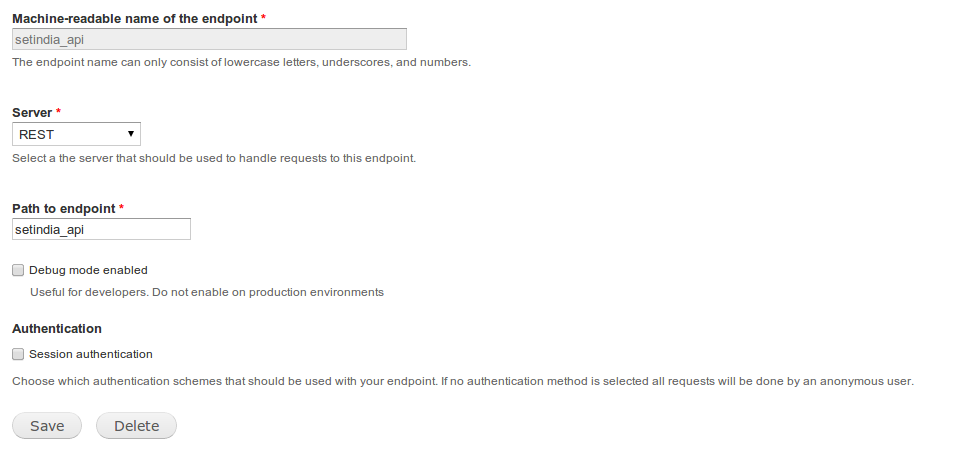
For testing purpose enable Debug mode. And then click on save to complete the process.
2. Open Resource page
This page will be displayed in the service list. From there you can click on edit resources.
You should see the following screen:-
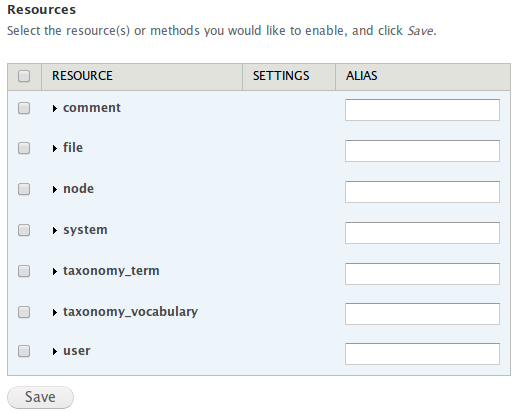
Resources are content available for query through the end points. As you look at the default setup, you see those resources, that come hard-coded with the Services module. But our resources is not showing there yet. We will need to create one custom module by which we will able to do so.
3. Create a Custom Module
If you don't know to building custom module, please refer this linkhttp://drupal.org/node/1074360, there you will find everything. Here I will only cover which is needed for build custom web services with the help of RESTful services.
For our convenience, I will call the module CUSTOM_MODULE.
4. Declare a Service Resources
There is hook provided by Services module i.e hook_services_resources().
Following is the code which we will require:-
In the code above, we declare a Resource called country_field_values, with a function "retrieve". We allow one optional parameter, "nid". The data will be accessible for a user with access content permission, and the params will be passed to a callback function _MYMODULE_country_retrieve().
5. Create the callback function()
Here is the callback function:-
Here I fetched the argument and passed it to the other function, calling it in the process. One need not call another function during return, but I do so, such that I can optimise the params I am passing to it.
6. Create the Processing function()
Here the is required code:-
Here we are fetching all the required component and return back.
We are almost done, so hang on.
7. Enable the resource
Enable the require resources, in our case we are enabling country_field_values.

After enabling the resources, type in url like this $base_url/setindia_api/country_field_values/[country_id]?nid=[nid].
Here [country_id] could be the variable which we are passing in $fn and [nid] is nid.
After hitting the above url, this will return like this:-
Here,country_id I was passing "4" and nid was "9194".
This is showing like this because we are only allowing JSON.
Drush for Deployment and remote management
For those who haven't heard about drush before, i would recommend going through these videos before. For those who know about Drush, have you ever imagined how easy life would become if you could manage your staging sites without having to login to the server. Or , how awesome would it be to deploy changes to various instances i.e., dev/staging/production just using drush the right way!! I have been using drush to do all this since last 2 years.
The two things that need to be moved from our local instance to other instances for a basic Drupal deployment are: Files folder and db dump. Drush acts as a messiah over here and provides us with two very useful commands drush rsyncand drush sql-sync. In order to use these commands, we need to create drush aliases for different sites we working on. Location for these aliases should be typically inside ~/.drush folder. I have written a handy script which converts a template file into a drush alias files depending on the values entered by the end user. You can modify the script as per your need.
This scipt looks out for the template file at ~/.drush. So, place the template file inside ~/.drush directory.
Lets understand the terminologies mentioned in the above template file one by one.
%ALIAS_DEV: Alias name which you would like to keep for your dev instance. This is something which will be used as a reference to the dev site while using drush command to execute something there.Lets understand the terminologies mentioned in the above template file one by one.
uri: The uri of the dev instance. Should be something like dev.example.com.
remote-user: A valid user on the machine where the dev instance is hosted. Also, we need to make sure this user has the permission to execute drush commands on that machine.
remote-host: IP address/hostname for the machine. This is used by drush to connect to the dev machine while executing the commands there.
path-aliases: Directory paths which we want to be accessible using drush commands. %dump-dir would be used to store the db dumps temporarily when syncing databases. %files would be used to sync the files folder.
command-specific: drush commands comes with a lot of options. This configuration allows us to set some of the options that would automatically get applied when the specified command is fired for drush alias. e.g., in the template file defined above, we have sql-sync with sanitize set to true. Sanitize option would skip syncing users while importing databases. So, it would work in any of the examples below:
source-command-specific/target-command-specific: Same as command-specific. But gets triggered only if the alias is a source/target argument respectively.
P.S: Executing these commands on a remote server would require ssh access to the machine. So, drush while executing them, would ask you for the passwords every now and then. To avoid this, we can make set our public key as one of the authorized keys for the dev server.

Confused? Don't worry, its not as complicated as it sounds. Just follow the following steps and you should be done with it:
Copy your ssh key to the server
Login to the remote machine using ssh
Voila!! Now your terminal would never dare to ask you for a password while you tryin to login to dev.example.com.
Now since you are setup with ur drush alias, you must be excited to see them in action. So, yeah here is how to use them now:
sql-sync
This would take a db-dump of dev server, save it in %dump-dir temporarily. Then copy this to %dump-dir defined for @local instance. By default, it will merge the two databases on the local server. However, passing create-db option forces mysql to overwrite the current database with the dump from dev server.
rsync
Rsync Drupal root from dev to local
Rsync all files in the current directory to the 'img' directory in %files on dev.
Rsync all files in the %files defined on @dev into the %files on local.
Using general Drush commands
Basically any drush command accompanied with a valid drush alias would execute the command on that instance. These can also be used to create automated deployment tools when integrated with git-hooks. Thats all from me folks. Hope you enjoyed exploring usage of drush in these ways.
Upcasting menu parameters in Drupal 8
Menu upcasting means converting a menu argument to anything. It can be an object or an array. In this article, we will look at how it used to be done in Drupal 7 codebase & how should we port this into Drupal 8 codebase.
Lets take an example of the following code in Drupal 7:
The my_module_menu() function implementing hook_menu() shows a menu item with an argument %my_menu. Suppose we want the callback function for this menu item to recieve an object after doing some processing on the value passed from the url. e.g., we want to load a specific field of node with nid 1 when we hit node/1/mytab.
To accopmplish the above in Drupal 7, would require us to create a loader function like the one below:
The page callback for the menu would recieve whatever is returned from the loader function defined above.
However, when it comes to Drupal 8, we all know the shift is towards configuration in yaml files & Object-oriented structure of the code. Drupal 8 construct to achieve this is making use of ParamConverter interface. To port the example mentioned above, we will need to do the following:
- Create my_module.routing.yml
- Create my_module.services.yml describing metadata for your custom paramconverter implementing the paramconverter interface
- Implement the custom paramconverter in a PHP class namespaced in my_module.services.yml
- Implement the callback for your menu item defined in my_module.routing.yml
Porting your menu item into Drupal 8 codebase:
This is how a typical route would look like in Drupal 8. The route described above is going to render a form on the page depending on the my_menu argument passed down to it.
NOTE: If in case of entity type, you do not need to implement paramconverter class. Simply in routing.yml write type: entity:entity_type instead of type: my_menu.
NOTE: Its very important that the name of the parameter matches the variable in the page callback arguments. e.g., if the parameter name is declared as my_menu in routing.yml file, the callback function would receive the upcasted value in $my_menu variable.
Creating my_module.services.yml:
Make sure the tag value says paramconverter. This helps Drupal while rebuilding its cache to compile the services accordingly.
Creating MyModuleParamConverter as defined in the namespace above:
This class implements ParamConverterInterface provided by Drupal 8 core. There are 2 functions implemented above:
- public function convert(): All your logic related to processing of the url argument goes in here. In the example above, we are converting the value picked up from the url into a node object.
- public function applies(): This is a validation function describing where the param convertion will be applicable. Definition variable recieves the definition for the menu parameter as defined in the routing.yml file. Since we want this convertion to be applicable only for parameters of type my_menu, the check is applied accordingly.
And, now at the last, our Callback class for the menu item:
The callback above is focussed only on the buildForm function, since that is where the upcasted argument will be recieved.
NOTE: The variable name must match the parameter value {my_menu}. The data type of the argument will depend on the return value from the convert function in MyModuleParamConverter.php.
These small chunks of code & you are all set to convert your menu parameters into almost anything required by your custom or contrib modules.